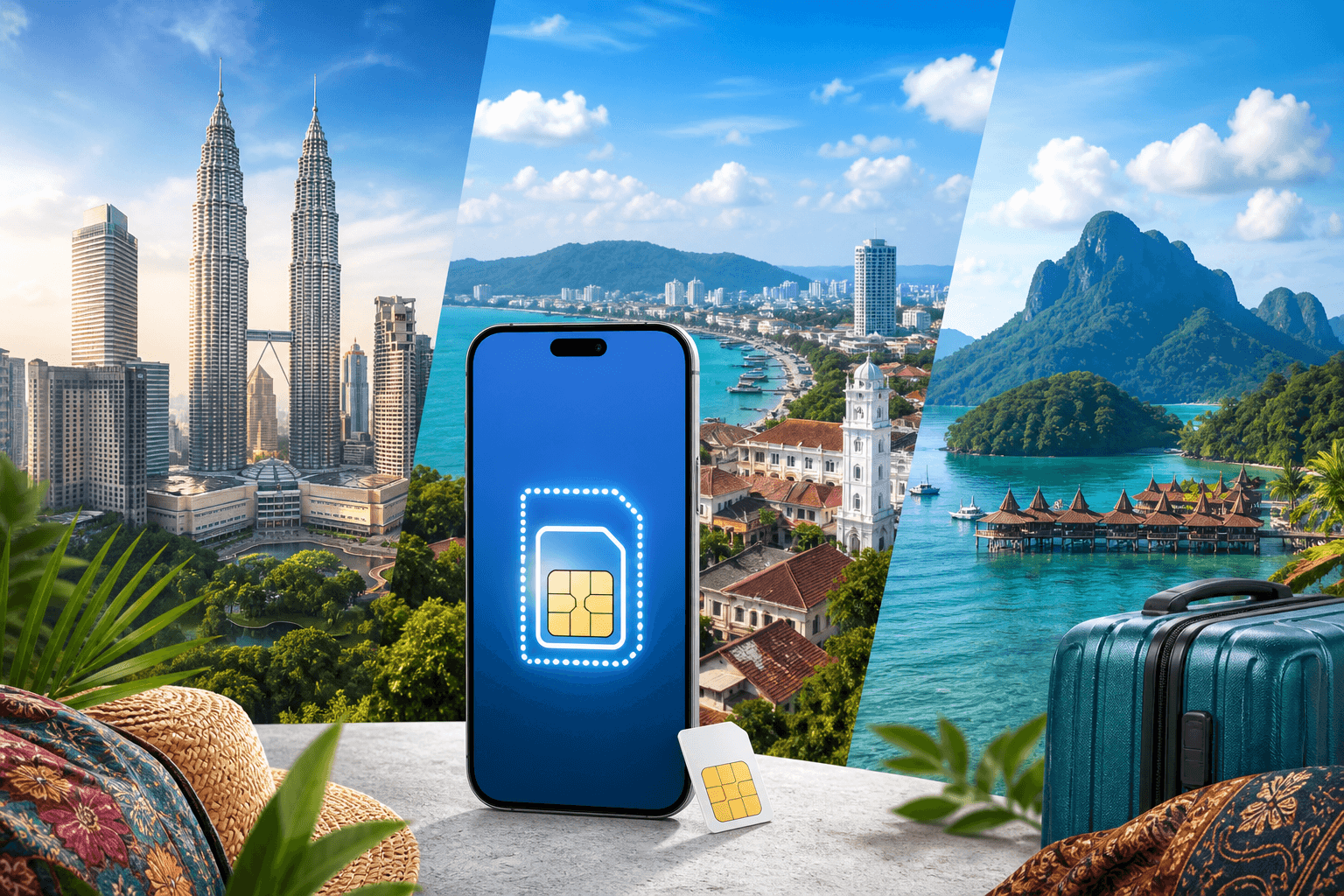
eSIM for Malaysia: plans, coverage and setup
Choose a Malaysia eSIM by data size, trip length and where you will travel. The catalog has 9 fixed-data plans and 17 daily plans.
Published Oct 28, 20268 min read
In this guide
You can use a Malaysia eSIM for data as soon as your phone supports eSIM, the line is installed, and mobile data is set to that eSIM. For many trips, data matters more than a local number because Grab, e-hailing and QR payments are everyday tools in Malaysia.
If you want to check current plan availability while reading, use the Malaysia eSIM page. Live prices stay there, not in a static article.
Why do over 30 million people choose Airalo?
People ask this because brand familiarity can feel safer than comparing plan details. For a Malaysia trip, the useful checks are still concrete: available data sizes, validity, when the plan starts, which networks are listed, and whether your route includes towns or remote areas. In the BeeSim catalog, Malaysia has 9 fixed-data plans and 17 daily plans, with validity starting only at the first connection to a network in Malaysia.
Coverage also depends on where you go. Malaysia’s main networks are Maxis, CelcomDigi and U Mobile, with 5G in Kuala Lumpur, Penang and Johor Bahru on a shared national network; Sabah and Sarawak are covered in towns and thinner in the interior. If you are comparing brands, use those same checks rather than the user-count headline. For a direct comparison page, see BeeSim versus Airalo.
What eSIM coverage looks like in Malaysia (Kuala Lumpur, Penang, and Borneo)
Malaysia’s main mobile networks are Maxis, CelcomDigi and U Mobile. 5G is available in Kuala Lumpur, Penang and Johor Bahru on a shared national network. BeeSim Malaysia plans connect to CelcomDigi, Maxis, U Mobile and Tune Talk, each listed with 5G in the catalog.
In Kuala Lumpur, expect the easiest experience in central areas, hotels, malls and transport corridors. If an app hangs after you arrive, first check that the eSIM is selected for mobile data, then briefly toggle Airplane Mode to force the phone to reconnect.
In Penang, service is strongest around George Town and town areas. If signal bars look normal but pages load slowly, try manual network selection and choose another available network from the eSIM’s list.
In Borneo, treat Sabah and Sarawak differently from Kuala Lumpur or Penang. Towns are covered, but the interior is thin. Before going inland, download offline maps, save booking confirmations, and keep enough battery to reconnect when you return to coverage.
Which Malaysia eSIM plans are in the catalog, and where are live prices?
The BeeSim catalog has 9 fixed-data plans for Malaysia and 17 daily plans. The plan’s validity starts at the first connection to a network in Malaysia, so you can install before flying and connect on arrival.
| Plan type | Data allowance | Validity |
|---|---|---|
| Fixed data | 1 GB | 7 days |
| Fixed data | 3 GB | 30 days |
| Fixed data | 5 GB | 30 days |
| Fixed data | 10 GB | 30 days |
| Fixed data | 20 GB | 15 days |
| Fixed data | 20 GB | 30 days |
| Fixed data | 40 GB | 15 days |
| Fixed data | 50 GB | 30 days |
| Fixed data | 50 GB | 180 days |
| Daily plans | 500 MB, 1 GB, 2 GB, 3 GB, 5 GB or 10 GB per day | 1 to 30 days |
Daily plans give the listed full-speed allowance each day; after the daily allowance, the speed drops.
Use the plan table this way:
- Pick 1 GB / 7 days only for light use: messaging, maps checks and a small amount of browsing.
- Pick a 30-day fixed-data plan if you want one allowance for the whole trip.
- Pick a daily plan if your usage is uneven and you prefer a daily reset.
- Look at 50 GB / 180 days if Malaysia is part of a longer stay or repeated visits.
Do not rely on copied prices from search results. Malaysia plan prices change, and the live number is on the Malaysia eSIM page.
Regional eSIM bundles that include Malaysia (useful for multi-country trips)
A regional eSIM can be cleaner if Malaysia is one stop on the same route. Malaysia is included in these BeeSim regional bundles:
| Regional bundle | Areas covered |
|---|---|
| Singapore & Malaysia | 2 countries |
| Singapore & Malaysia & Thailand | 3 countries |
| Singapore & Malaysia & Vietnam & Thailand & Indonesia | 5 countries |
| Asia | 7 areas |
Choose a regional bundle when you cross borders during the same trip and want one installed data line. Choose a Malaysia-only plan when most of your data use will be in Malaysia and you do not need coverage in nearby countries.
How to check if your phone supports eSIM (and avoid the common gotchas)
Before buying, confirm that your exact phone model supports eSIM on the compatible devices page. Do this before checkout, especially if your phone was bought through a carrier or issued by an employer.
Check these items:
- Carrier lock: a locked phone may reject a travel eSIM.
- Work profile controls: managed devices can block adding mobile plans.
- Dual-SIM settings: your home SIM can stay active for calls or bank texts, while the eSIM handles mobile data.
- Region variant: some phones with the same marketing name differ by market.
On iPhone, check Settings → General → About and look for eSIM or available SIM information. On Android, search Settings for “SIMs” or “eSIM”; if there is no option to add an eSIM, confirm the model on the compatibility page rather than assuming.
How to install an eSIM for Malaysia (and when the plan starts)
Install the eSIM at home on Wi-Fi if you can. BeeSim installation works by QR code or manual SM-DP+ entry, and the plan’s validity starts when the eSIM first connects to a network in Malaysia.
A clean install flow:
- Install the eSIM while connected to Wi-Fi.
- Label it clearly, such as “Malaysia eSIM”.
- Keep your primary SIM active if you need your usual number.
- Do not select the eSIM for data until you are ready, unless you are already in Malaysia.
- On arrival, turn on the eSIM line, select it for mobile data, and enable data roaming for that eSIM.
If your phone asks whether to use the eSIM for calls, texts or data, choose it for data. BeeSim Malaysia plans are data-only, so a local phone number and SMS are not included.
The settings that matter most once you land (iPhone and Android)
The important settings are the data line and data roaming. If either is wrong, the phone can show signal but still have no internet.
For iPhone on iOS 17 or iOS 18:
- Go to Settings → Cellular or Settings → Mobile Service.
- Tap the Malaysia eSIM.
- Turn Data Roaming on.
- Go back to Cellular Data.
- Select the Malaysia eSIM.
- Leave Allow Cellular Data Switching off if you want to avoid the phone switching back to your home SIM for data.
For Google Pixel on Android 14 or Android 15:
- Go to Settings → Network & internet → SIMs.
- Select the Malaysia eSIM.
- Turn Use SIM on.
- Turn Roaming on.
- Go to Settings → Network & internet → SIMs → Mobile data and choose the eSIM.
For Samsung on Android 14 or Android 15:
- Go to Settings → Connections → SIM manager.
- Under Mobile data, choose the Malaysia eSIM.
- Then go to Settings → Connections → Mobile networks.
- Turn Data roaming on for the eSIM.
For Xiaomi on Android 14 or Android 15:
- Go to Settings → SIM cards & mobile networks.
- Select the Malaysia eSIM.
- Turn on mobile data for that line.
- Turn on Data roaming.
- Set the eSIM as the default line for mobile data.
Hotspot is not something to assume across every travel eSIM. Check the individual plan page before buying; if hotspot or tethering is supported on that plan, use Settings → Personal Hotspot on iPhone or Settings → Network & internet → Hotspot & tethering on Android.
What to do if the eSIM shows signal but you have no internet
Work through these fixes in order. Each one targets a common setup failure.
- Confirm the eSIM is selected for mobile data.
- iPhone: Settings → Cellular → Cellular Data.
- Pixel: Settings → Network & internet → SIMs → Mobile data.
- Samsung: Settings → Connections → SIM manager → Mobile data.
- Xiaomi: Settings → SIM cards & mobile networks → Default for mobile data.
Turn data roaming on for the eSIM, not just for the phone in general.
Toggle Airplane Mode off and on, then wait for the network name to return.
Restart the phone if the eSIM has signal but apps still fail.
Try manual network selection.
- iPhone: Settings → Cellular → Malaysia eSIM → Network Selection, then turn off Automatic.
- Pixel: Settings → Network & internet → SIMs → Malaysia eSIM → Automatically select network.
- Samsung: Settings → Connections → Mobile networks → Network operators.
- Xiaomi: Settings → SIM cards & mobile networks → Malaysia eSIM → Mobile networks.
- In Sabah or Sarawak interior areas, move toward a town or a more open location before troubleshooting further. Coverage is thin in the interior.
If the eSIM never connects after these checks, contact support from the site and include your order details, phone model and a screenshot of the cellular settings.
What happens when you run out of data (and how to plan for it)
BeeSim plans cannot be topped up. If the allowance is used, buy another plan and install it as a separate eSIM.
To avoid mixing up lines:
- Rename the old eSIM before installing the new one.
- Turn off the old line if it has no data left.
- Select the new eSIM under mobile data.
- Keep your primary SIM selected for calls or messages if you still need your normal number.
If you expect heavy use, choose the allowance before departure rather than relying on a top-up later. For Malaysia, the catalog ranges from 1 GB / 7 days to 50 GB / 180 days on fixed-data plans, plus daily plans from 500 MB to 10 GB per day.
Where to buy, and where to check payment or refund rules
Use the Malaysia eSIM page for current plan availability and live prices. Static prices age quickly, so the storefront is the place to compare the current cost of each plan.
For payment and refund rules, use the BeeSim FAQ rather than saved screenshots or old articles. If you need help after purchase, contact support by email from the site and include the order link plus the exact phone model.
More destinations
All destinations →Topics
Frequently asked questions
Can I install a Malaysia eSIM without scanning the QR code?
Yes. If the QR code is not convenient, install manually with the SM-DP+ details shown with your order.
Do I need the BeeSim app to use the eSIM?
No. You can use the website or the BeeSim app to access your order and installation details.
Will prices appear in my local currency?
The storefront can show an estimate in your local currency, while BeeSim lists and charges plan prices in USD. Check the destination page for the live amount.
Can I receive Malaysian SMS messages with this eSIM?
No. BeeSim travel eSIM plans are data-only, so they do not include a Malaysian phone number or SMS service.
Where should I ask for help if installation fails?
Contact BeeSim support by email from the site. Include your order link, phone model and screenshots of the eSIM settings so support can see what is selected.
BeeSim Editorial
Travel eSIM guides from the BeeSim team: activation, coverage caveats, and the mistakes that strand travellers.
Editorial policyRelated articles
- eSIM
eSIM for Greece in 2026: plans, prices, and coverage on the islands and ferries
A practical guide to choosing a Greece eSIM in 2026: plan options and example prices, what coverage is like on islands and ferries, and the exact phone settings that usually fix “no service.”
Oct 28, 20268 min read
- Mexico
eSIM for Mexico: plans and coverage from Mexico City to resorts
Choose a Mexico eSIM by trip length, coverage needs, and data use. See fixed-data and daily options, setup paths, and weak coverage areas.
Oct 28, 20269 min read
- Germany eSIM
eSIM for Germany in 2026: plans, prices, and what coverage is really like on regional trains
Germany has strong mobile networks in cities and along major roads, but coverage can drop on regional trains and in rural stretches. Here’s how to pick an eSIM plan for Germany in 2026, what the main networks are, and how to set up your phone so you stay online as often as the network allows.
Oct 28, 202613 min read
- Sri Lanka
eSIM for Sri Lanka: plans, validity, and setup
Sri Lanka eSIM guide with 8 fixed-data plans, 15 daily options, validity rules, supported networks, and setup steps for iPhone and Android.
Oct 28, 202611 min read
- Canada
eSIM for Canada: plans, live prices, and setup
Canada eSIM plans include 8 fixed-data options and 18 daily options. Compare sizes, regional bundles, setup paths, and where to check live prices.
Oct 28, 202611 min read
- Georgia
eSIM for Georgia: plans, coverage, setup, and Airalo comparison questions
Georgia eSIM guide with 6 fixed-data plans, daily options, coverage notes for Tbilisi, Batumi, highways, Svaneti and Tusheti.
Sep 30, 202610 min read2 views