eSIM for Germany in 2026: plans, prices, and what coverage is really like on regional trains
Germany has strong mobile networks in cities and along major roads, but coverage can drop on regional trains and in rural stretches. Here’s how to pick an eSIM plan for Germany in 2026, what the main networks are, and how to set up your phone so you stay online as often as the network allows.
Published Oct 28, 202613 min read
In this guide
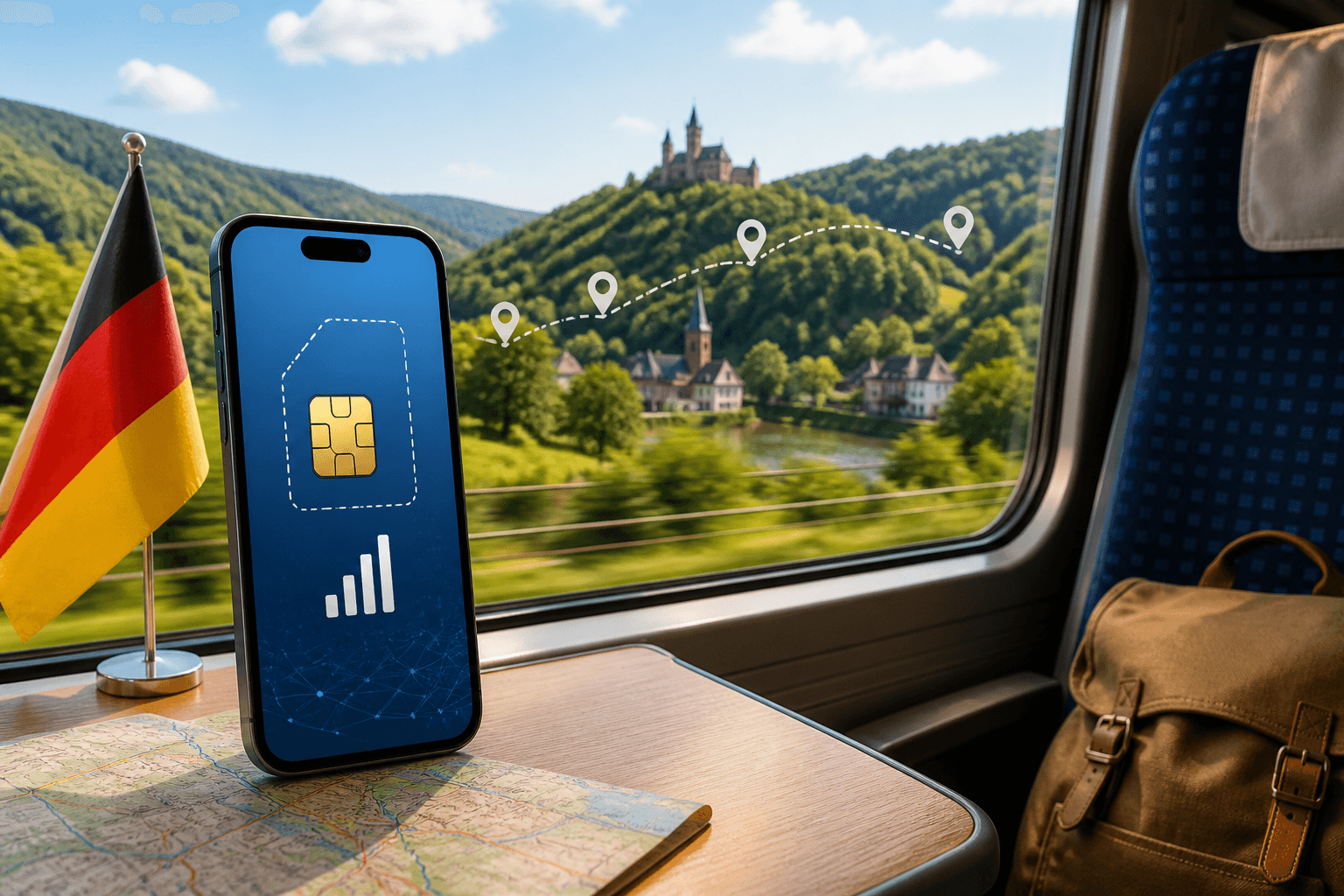
Germany is easy to cover with an eSIM, but it is not “perfect everywhere.” In 2026 you can expect solid data in cities and along autobahns, and more dropouts on regional trains and in the countryside than Germany’s reputation suggests.
If you want a simple travel setup, use a data-only eSIM for internet and keep your usual SIM active for your normal number. The main decision is not only how much data to buy, but whether you need Germany-only coverage or a Europe plan that also works across nearby borders.
Which mobile networks you’ll be on in Germany (and why it matters on trains)
Germany’s main mobile networks are Telekom, Vodafone, and O2. There is also 1&1, which runs on its own network in cities.
BeeSim Germany plans can connect to Vodafone, O2, E-Plus, and Telekom, with 5G listed for each of those network options. In normal use, leave network selection on automatic first. Your phone will try to attach to an available partner network without you having to choose one manually.
What that means in practice:
- In cities such as Berlin, Munich, Hamburg, Cologne, Frankfurt, and Düsseldorf, you should usually have stable data on the big networks.
- On autobahns, coverage is generally fine, especially on major corridors.
- On regional trains and in rural areas, coverage is more variable. Expect stretches where data slows down or drops entirely, particularly on smaller routes, wooded sections, valleys, and less populated regions.
Two things can be true at once: Germany can feel well covered for everyday city travel, and still have irritating gaps when you are moving quickly through the countryside.
If one network is stuck on weak signal, try forcing a fresh connection before changing anything else. On iPhone, go to Settings → Cellular, or Mobile Service on some devices → your eSIM line → Network Selection. Turn Automatic off, wait for the list, pick another available network, then switch Automatic back on if the manual choice is not better. On Android, the path varies, but start with Settings → Network & Internet → SIMs → your eSIM → Network or Carrier selection. On Samsung phones, look under Settings → Connections → Mobile networks → Network operators.
Do not expect manual selection to create coverage in a dead zone. It is useful when your phone clings to a poor cell after leaving a station, tunnel area, or rural gap.
eSIM plans for Germany in 2026: sizes, validity, and example prices
For Germany in 2026, the catalog has two plan types: fixed-data plans and daily plans. Live prices change, so use the destination page for the current number rather than relying on a saved article.
The fixed-data Germany plans are: 1 GB for 7 days, 3 GB for 30 days, 5 GB for 30 days, 10 GB for 30 days, 20 GB for 30 days, 50 GB for 30 days, and 50 GB for 180 days.
There are also 17 daily plans for Germany. They offer 500 MB, 1 GB, 2 GB, 3 GB, 5 GB, or 10 GB of full-speed data per day, with durations from 1 to 30 days. After the daily allowance is used, the speed drops for the rest of that day.
That difference matters. A fixed-data plan gives you one bucket for the full validity period. If you use half of it on the first weekend, the rest must last until the plan ends. A daily plan resets the high-speed allowance each day, but once you pass that day’s allowance, you continue at reduced speed until the next daily cycle.
How to choose quickly:
- Short city trip with maps, tickets, messaging, and light browsing: start with the smaller fixed-data options, especially if your hotel has Wi-Fi.
- A week or two with regular navigation, social apps, restaurant searches, and occasional hotspot: a mid-sized 30-day fixed plan is the safer choice.
- Heavy work use, laptop hotspot, cloud documents, and video calls: choose a larger fixed-data plan or a daily plan with enough full-speed data for each workday.
- Trade fair, conference, or one very data-heavy day: a daily plan can make sense because the limit is tied to that day rather than your whole trip.
- Long stay or repeated trips within one journey: check the longer-validity fixed plan so you are not forced to install another eSIM mid-trip.
Before buying, estimate the data you control. Download maps over Wi-Fi. Turn off automatic video previews in social apps. Set cloud photo backup to Wi-Fi only. On iPhone, check Settings → Cellular → Cellular Data Usage for recent usage. On Android, check Settings → Network & Internet → SIMs → App data usage, or on Samsung, Settings → Connections → Data usage → Mobile data usage. Your home usage is not a perfect travel estimate, but it shows which apps burn data fastest.
If you want to browse current plan options, start here: Germany eSIM plans.
Germany vs Europe eSIM: when a regional plan is the better buy
Germany is in the EU, so a Europe regional plan can cover Germany and neighbouring countries on the same eSIM. That is useful if your trip includes cross-border trains, road travel, or a last-minute day trip.
Germany is included in several regional Europe plan groups in the catalog: Europe with 31 areas, Europe with 33 areas, Europe with 30+ areas, and Europe with 35 areas.
Pick Germany-only when your itinerary stays inside Germany. It is the simpler choice if you fly into Berlin, take trains to Munich or Hamburg, and fly home from Germany without crossing a border.
Pick Europe when your trip includes another country, even briefly. Common examples are Berlin to Prague, Munich to Salzburg, Cologne to Amsterdam, Frankfurt to Paris, or Hamburg to Copenhagen. A Europe plan avoids the awkward moment when you arrive at a foreign station and need data for directions, tickets, a ride app, or translation before you have found Wi-Fi.
Check two details before choosing a regional plan. First, confirm every country on your itinerary is included in that exact regional bundle, because Europe plan names can cover different country lists. Second, compare validity with your full travel window, not just the Germany portion. If you spend five days in Germany and then continue elsewhere, the plan still needs to be active after you leave Germany.
What coverage is really like on regional trains (and how to plan around it)
Regional rail is where expectations and reality often diverge. Cities and major road corridors are usually fine; regional lines through rural stretches can be patchy.
The “dead zone” feeling on trains usually comes from a mix of factors. Rural areas may have fewer nearby towers. The train moves fast enough that your phone must hand off between cells often. The carriage itself can weaken signal. If many passengers are trying to use the same cells near a busy route, speeds can also feel uneven.
Set up your trip so a weak signal is annoying, not disruptive:
- Download offline maps before you board. In Google Maps, tap your profile picture → Offline maps → Select your own map, then save the area around your route and destination. In Apple Maps, search for the city or region, open the place card, and use Download Map where available.
- Save tickets offline. Use the rail app’s offline ticket option if it has one. If screenshots are allowed for your ticket type, keep a screenshot of the QR code and booking reference.
- Load platform changes and connection details while still at the station. Stations usually have better coverage than rural sections between stops.
- Send time-sensitive messages before departure. Do not wait until you are between towns to send an address, meeting point, or arrival update.
- Keep a small buffer for navigation at the destination. Do not spend your remaining data streaming on the train if you still need maps after arrival.
If data appears connected but nothing loads, try the simplest fix first: toggle Airplane mode on for about 10 seconds, then turn it off. This forces the phone to reattach to the network. If that fails, switch network selection from automatic to manual, choose another available partner network, test it, and then return to automatic if the result is worse.
Train Wi-Fi, where available, should be treated as a bonus. It can be overloaded, filtered, or intermittent. Use it for non-sensitive browsing and large downloads if it works, but keep your eSIM ready for ticket checks, maps, and messages.
How to set up a Germany travel eSIM so it works the moment you arrive
A common failure mode is buying the right eSIM and then leaving your phone set to use the home SIM for data. Set the eSIM as the data line before you need it.
Check your device supports eSIM
Before buying anything, confirm your phone supports eSIM: Compatible devices. Also check that the phone is not carrier-locked. On iPhone, go to Settings → General → About → Carrier Lock. If it says “No SIM restrictions,” the phone is unlocked. Android wording varies by brand; if the phone was bought through a carrier, check the device settings or ask the carrier before you travel.
Install the eSIM before the trip (on Wi-Fi)
Install the eSIM while you have reliable Wi-Fi. Travel eSIM installation needs an internet connection, and airport Wi-Fi is not where you want to troubleshoot a QR code.
For Germany plans, validity starts at the first connection to a network in Germany, and the eSIM must be installed within 180 days of purchase. That means you can install ahead of travel, but you should not leave the installation unused beyond the stated installation window.
On iPhone, open the installation link or scan the QR code, then follow Add eSIM prompts. Give the line a clear label such as “Germany eSIM.” On Android, use Settings → Network & Internet → SIMs → Add SIM or Download a SIM instead. On Samsung, use Settings → Connections → SIM manager → Add eSIM.
Set the eSIM as your data line (and keep your home SIM for calls/SMS)
Most travel eSIM setups are data-focused. Your normal SIM can stay active for calls and SMS, while apps such as WhatsApp, Signal, Telegram, FaceTime, and email use the eSIM’s data connection.
Before you fly:
- Label both lines clearly, for example “Home” and “Germany eSIM.”
- Set Cellular Data or Mobile data to the Germany eSIM.
- Turn Data Roaming on for the eSIM line.
- Turn data switching off if you want to stop the phone falling back to your home SIM.
- Keep your home SIM enabled only if you need calls or SMS, and check your carrier’s roaming settings separately.
iPhone paths:
- Settings → Cellular → Cellular Data → select your Germany eSIM
- Settings → Cellular → your Germany eSIM → Data Roaming: On
- Settings → Cellular → Cellular Data → Allow Cellular Data Switching: Off, if you want strict control
- Settings → Cellular → Default Voice Line → choose your home number if you still need it
Android paths vary:
- Pixel-style menus: Settings → Network & Internet → SIMs → select your Germany eSIM → Mobile data: On → Roaming: On
- Samsung: Settings → Connections → SIM manager → Mobile data → select your eSIM, then Settings → Connections → Mobile networks → Data roaming: On
When you land, turn the eSIM line on if it was off, wait a minute for registration, and open a webpage. If it does not load, toggle Airplane mode once. If it still fails, confirm the eSIM is selected for data and roaming is on for that line, not for the home SIM.
Hotspot, laptops, and what to do when you run out of data
Hotspot is useful when you need to connect a laptop or tablet, but it can use data much faster than phone browsing. The usual problem is not one web page; it is background sync.
Before tethering a laptop, pause cloud drives, photo backup, operating system updates, game launchers, and automatic app updates. On macOS, open System Settings → General → Software Update and avoid starting downloads on mobile data. On Windows, go to Settings → Network & Internet → Wi-Fi, select the hotspot network, and turn on Metered connection. This tells Windows and some apps to reduce background usage.
On iPhone, hotspot is under Settings → Personal Hotspot. On Android, look for Settings → Network & Internet → Hotspot & tethering, or on Samsung, Settings → Connections → Mobile Hotspot and Tethering.
If you are using a fixed-data plan, check usage during the trip rather than waiting for data to stop. iPhone shows line usage under Settings → Cellular. Android shows it under the SIM’s data usage screen. If you use a daily plan, remember that full-speed data is daily; after that day’s allowance, speed drops until the next daily cycle.
If you run out on a fixed-data plan, buy another suitable plan and install it while you still have Wi-Fi or another internet connection. Label it clearly so you do not confuse the old and new eSIM lines.
Refund rules to know before you buy
Read the refund terms on the checkout or FAQ page before purchasing, especially if your travel dates are not fixed. Refund handling for digital SIM products can depend on whether the eSIM has already been installed, whether it has connected to a network, and whether there was a technical fault.
Do two checks before you pay. First, confirm your phone supports eSIM and is unlocked. Second, choose the plan timing carefully: Germany plan validity starts at the first connection to a network there, and the eSIM must be installed within 180 days of purchase.
If you buy early, keep the order email and installation link somewhere you can reach offline, such as a saved email folder or password manager note. If something goes wrong, take screenshots of the error message, the eSIM line settings, and the network screen before contacting support. That gives support enough detail to separate a device setting issue from a network connection issue.
Where to buy a Germany eSIM
Use the destination page for the current Germany plan list and live pricing: Germany eSIM plans. Do not rely on old screenshots or saved price lists, because plan prices can change.
If you are checking device support first, use: Compatible phones.
If you want setup and policy details before purchasing, use: FAQ.
FAQ
Will a Germany eSIM work on ICE and regional trains?
It will work where the network reaches the tracks. Expect better results near cities and major corridors, and more dropouts on regional lines through rural areas.
Do I need a Europe plan if I’m only in Germany?
No. A Germany-only plan is simpler if your whole itinerary stays in Germany. Choose a Europe plan if you will cross borders and want the same eSIM to keep working.
When does the Germany eSIM validity period start?
For the Germany plans described here, validity starts when the eSIM first connects to a network in Germany. The eSIM must also be installed within 180 days of purchase.
Should I choose fixed data or a daily plan?
Choose fixed data if you want one allowance for the whole trip. Choose a daily plan if your usage is uneven but you want a fresh full-speed allowance each day, with reduced speed after that day’s allowance is used.
Why does my phone show signal but no data loads?
The phone may be attached to a weak cell or the wrong line may be selected for data. Toggle Airplane mode, confirm the eSIM is the mobile data line, and check that data roaming is on for the eSIM.
Can I keep my normal number active while using the Germany eSIM?
Yes. Keep your home SIM as the voice or SMS line and set the Germany eSIM as the data line. Turn off automatic data switching if you want to avoid accidental home-SIM roaming data.
More destinations
All destinations →Topics
Frequently asked questions
Will a Germany eSIM work on ICE and regional trains?
It will work where the network reaches the tracks. Expect better results near cities and major corridors, and more dropouts on regional lines through rural areas.
Do I need a Europe plan if I’m only in Germany?
No. A Germany-only plan is simpler if your whole itinerary stays in Germany. Choose a Europe plan if you will cross borders and want the same eSIM to keep working.
When does the Germany eSIM validity period start?
For the Germany plans described here, validity starts when the eSIM first connects to a network in Germany. The eSIM must also be installed within 180 days of purchase.
Should I choose fixed data or a daily plan?
Choose fixed data if you want one allowance for the whole trip. Choose a daily plan if your usage is uneven but you want a fresh full-speed allowance each day, with reduced speed after that day’s allowance is used.
Why does my phone show signal but no data loads?
The phone may be attached to a weak cell or the wrong line may be selected for data. Toggle Airplane mode, confirm the eSIM is the mobile data line, and check that data roaming is on for the eSIM.
Can I keep my normal number active while using the Germany eSIM?
Yes. Keep your home SIM as the voice or SMS line and set the Germany eSIM as the data line. Turn off automatic data switching if you want to avoid accidental home-SIM roaming data.
BeeSim Editorial
Travel eSIM guides from the BeeSim team: activation, coverage caveats, and the mistakes that strand travellers.
Editorial policyRelated articles
- France
eSIM for France in 2026: plans, prices, and coverage in Paris, on the TGV, and in the countryside
A practical guide to choosing a France eSIM in 2026: plan sizes and prices, what coverage is like in Paris, on TGV routes, and in rural areas, plus setup steps and troubleshooting.
Oct 28, 20269 min read
- Malaysia eSIM
eSIM for Malaysia: plans, coverage and setup
Choose a Malaysia eSIM by data size, trip length and where you will travel. The catalog has 9 fixed-data plans and 17 daily plans.
Oct 28, 20268 min read
- eSIM
eSIM for Greece in 2026: plans, prices, and coverage on the islands and ferries
A practical guide to choosing a Greece eSIM in 2026: plan options and example prices, what coverage is like on islands and ferries, and the exact phone settings that usually fix “no service.”
Oct 28, 20268 min read
- eSIM
eSIM for the UK in 2026: plans, prices, and why a “Europe” plan may not include it
UK eSIM plan pages in 2026 show data allowance, validity, country list and live price. Check the country list before you pay, because a plan sold as “Europe” may not cover the UK.
Oct 28, 202614 min read1 views
- Mexico
eSIM for Mexico: plans and coverage from Mexico City to resorts
Choose a Mexico eSIM by trip length, coverage needs, and data use. See fixed-data and daily options, setup paths, and weak coverage areas.
Oct 28, 20269 min read
- eSIM
eSIM for Portugal: plans, coverage, setup
Portugal eSIM guide with 6 fixed-data plans, daily options, Lisbon and Porto 5G notes, Madeira/Azores coverage, setup and fixes.
Oct 28, 20269 min read1 views