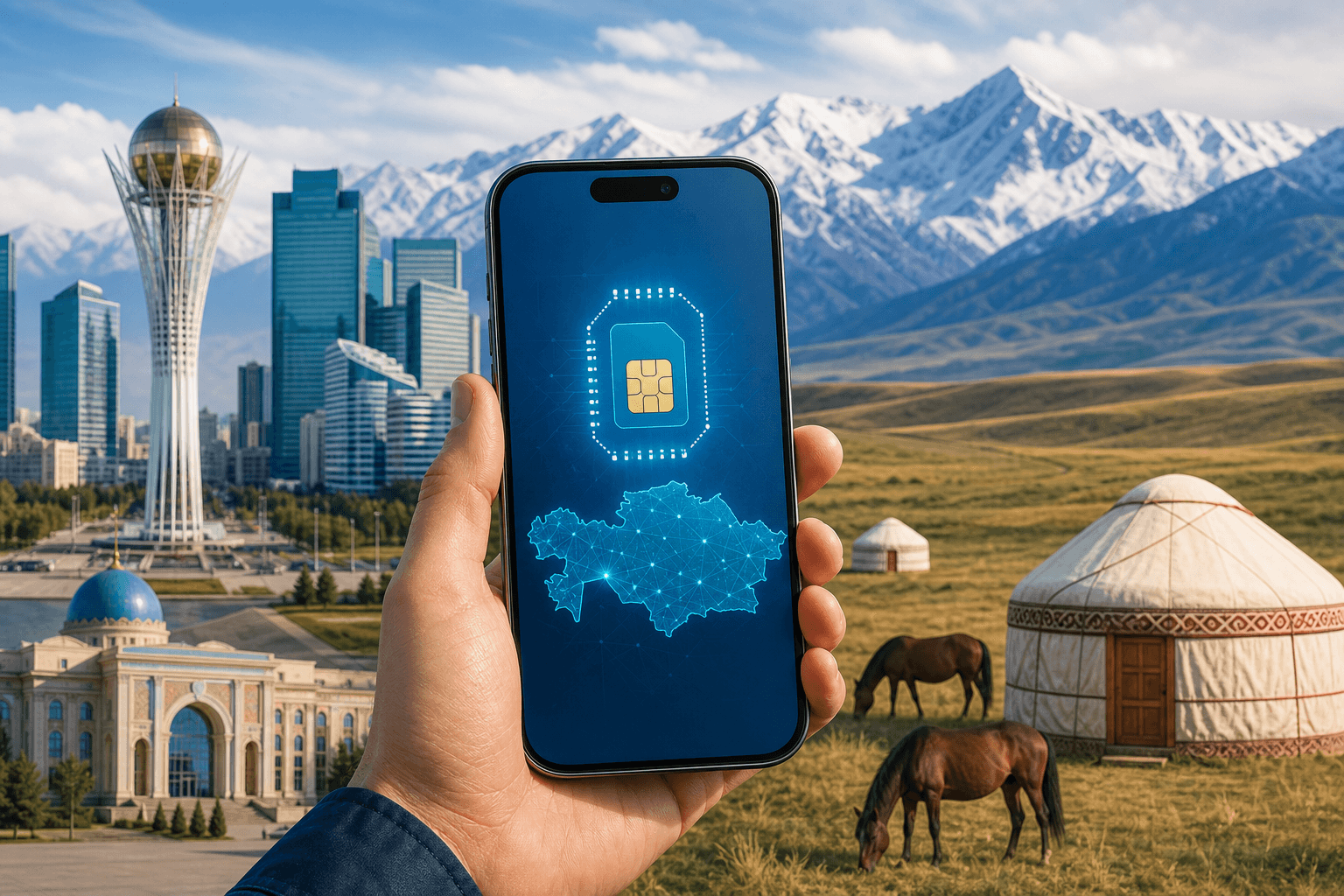
eSIM for Kazakhstan: plans, coverage, and setup
Kazakhstan eSIM plans cover fixed data from 1 GB to 20 GB and daily data up to 10 GB. Use city coverage normally, but plan offline for the steppe.
Published Oct 28, 20268 min read
In this guide
For Kazakhstan, start with a fixed BeeSim plan if you want one data allowance for the trip: 1 GB for 7 days, or 3 GB, 5 GB, 10 GB, and 20 GB for 30 days. Choose a daily plan instead when you want the allowance to reset each day; Kazakhstan has 500 MB, 1 GB, 2 GB, 3 GB, and 10 GB per day from 1 to 30 days, with slower speeds after the daily allowance.
Coverage is strongest in Almaty, Astana, and other cities, where 4G is available and some 5G exists; the steppe between cities is mostly empty of signal, so download maps and documents before long road sections. Browse live plan prices on the Kazakhstan eSIM page, because the storefront carries current pricing.
What eSIM plans look like for Kazakhstan
The Kazakhstan catalog has two plan styles: fixed-data plans and daily plans. Fixed-data plans are simpler for most trips because you buy one allowance for the whole validity period. Daily plans are useful when your usage changes from day to day, because the full-speed allowance is daily rather than trip-wide.
| Plan type | Data options | Validity or rule | Good fit |
|---|---|---|---|
| Fixed data | 1 GB | 7 days | Short, light-use visit |
| Fixed data | 3 GB, 5 GB, 10 GB, 20 GB | 30 days | Longer stay with one trip allowance |
| Daily data | 500 MB, 1 GB, 2 GB, 3 GB, 10 GB per day | 1 to 30 days; speed drops after the daily allowance | Trips where each day needs its own allowance |
BeeSim Kazakhstan plans are data-only. They do not include a local Kazakh phone number or SMS, so keep your usual SIM active if you need to receive bank texts or calls on your normal number. Set mobile data to the eSIM after arrival, and keep roaming off on your home SIM if you do not want it using travel data.
A Kazakhstan plan cannot be topped up. If you run out, buy another plan and install it as a separate eSIM. If hotspot matters for a laptop or another traveller, check the individual plan page before buying; tethering availability is stated per plan, not as a blanket rule.
Kazakhstan is also included in several regional bundles: Central Asia (4 areas), Central Asia (5), Asia (20+ areas), and Global (120+ areas). Use a regional plan if Kazakhstan is only one stop on the route; use a Kazakhstan-only plan if the trip stays inside the country.
How coverage works in Almaty, Astana, and on the steppe
Kazakhstan has three main network groups: Kcell with activ, Beeline, and Tele2/Altel. BeeSim Kazakhstan plans connect to Beeline on 4G and Tele2.kz on 5G.
In Almaty, Astana, and other cities, plan for normal 4G use, with some 5G where your phone and the local signal support it. That is the right expectation for maps, messaging apps, ride-hailing, banking apps, ticketing, and everyday browsing. If the phone shows 5G in one area and 4G in another, that is normal; do not treat 5G as available street by street.
The steppe is different. Between major cities, the signal can disappear for long stretches because much of the steppe is mostly empty of coverage. Before leaving a city, download offline maps, save hotel addresses, cache translation packs if you use them, and keep tickets or booking PDFs on the phone rather than only in email. If you are driving, share the route while you still have service and do not rely on mobile data for navigation between towns.
If you have signal but the connection is poor in a city, try manual network selection before assuming the eSIM is broken. On iPhone, go to Settings > Cellular or Mobile Service > the Kazakhstan eSIM > Network Selection, turn off Automatic, and choose an available plan network. On Samsung, use Settings > Connections > Mobile networks > Network operators. On Pixel, use Settings > Network & internet > SIMs > the eSIM > Automatically select network. On Xiaomi, use Settings > Mobile networks > choose the eSIM > Mobile networks, then turn off automatic selection if the option is available.
Why a travel eSIM can be simpler than a local SIM in Kazakhstan (IMEI registration)
Kazakhstan requires IMEI registration for phones using local SIMs. A travel eSIM used as a roaming profile is exempt.
That difference matters if you are arriving late, changing cities quickly, or do not want to spend trip time dealing with a local SIM process. With a travel eSIM, the practical job is to install the eSIM correctly, turn it on after arrival, and let it connect as a roaming data line.
This does not make the eSIM a local Kazakh number. It remains a data-only travel profile. Use WhatsApp, Telegram, FaceTime, email, maps, and other apps over data; use your primary line for ordinary calls and SMS if you keep it enabled.
How to set up a Kazakhstan eSIM so it works when you land
Install the eSIM while you still have reliable Wi-Fi, then turn it on for mobile data after you arrive in Kazakhstan. The plan validity starts when the eSIM first connects to a network there, and the eSIM must be installed within 180 days of purchase.
Before buying, confirm that your phone supports eSIM and is not locked to another carrier. Use the compatible devices page if you are unsure.
For iPhone on iOS 17 or iOS 18:
- Open Settings > Cellular, or Settings > Mobile Service in some regions.
- Tap Add eSIM.
- Choose Use QR Code, then scan the QR code from the order details.
- If scanning is not possible, tap Enter Details Manually and enter the SM-DP+ details from the order.
- Label the line “Kazakhstan” or “KZ eSIM”.
- Keep the line off until you arrive if you do not need it yet.
For Samsung on Android 14 or Android 15:
- Open Settings > Connections > SIM manager.
- Tap Add eSIM.
- Choose Scan QR code, then scan the eSIM QR code.
- If needed, use the manual entry option and enter the SM-DP+ details.
- After arrival, go back to SIM manager and choose the Kazakhstan eSIM for Mobile data.
For Google Pixel on Android 14 or Android 15:
- Open Settings > Network & internet > SIMs.
- Tap Add SIM.
- Choose Set up an eSIM, then scan the QR code.
- If the phone offers manual entry instead, enter the SM-DP+ details.
- After arrival, open the eSIM settings and turn on Mobile data and Roaming for that line.
For Xiaomi on Android 14 or Android 15, the exact label depends on the model and software skin:
- Open Settings > Mobile networks.
- Look for eSIM or Manage eSIM.
- Choose Add eSIM and scan the QR code.
- Use manual SM-DP+ entry if the QR code option is not available.
- After arrival, set the Kazakhstan eSIM as the data SIM and enable data roaming for that eSIM.
After landing, set the eSIM as the data line. On iPhone, use Settings > Cellular or Mobile Service > Cellular Data, choose the Kazakhstan eSIM, then open that line and turn Data Roaming on. On Samsung, use Settings > Connections > SIM manager > Mobile data, then Settings > Connections > Mobile networks > Data roaming. On Pixel, use Settings > Network & internet > SIMs > the Kazakhstan eSIM, then enable Mobile data and Roaming. On Xiaomi, use Settings > Mobile networks > the eSIM line, then set it as the mobile data SIM and enable roaming for that line.
If you keep your home SIM active, keep it as the default voice line if you need your usual number. Turn data roaming off on the home SIM unless you deliberately want to use your home carrier abroad.
How to choose the right plan for your route (city stay vs road trip)
For a short stay, start by comparing the 1 GB for 7 days option with daily plans for the exact number of days you need. A daily plan can make sense for a short, data-heavy stop. A fixed plan is usually easier to manage when usage is light and spread across the trip.
For a longer stay in Almaty, Astana, or other cities, compare the 3 GB, 5 GB, 10 GB, and 20 GB fixed plans for 30 days. If you will be on hotel or apartment Wi-Fi often, smaller fixed plans may be enough. If you will depend on mobile data every day for maps, messaging, calls in apps, and work tools, look higher in the fixed-data list.
For a road trip, do not buy more data because you expect the steppe to behave like a city. Coverage between cities can be absent for long periods. Buy the allowance you need for the places where service exists, then prepare offline maps and documents for the empty stretches.
For a multi-country route, compare Kazakhstan-only plans with the regional bundles that include Kazakhstan: Central Asia (4 areas), Central Asia (5), Asia (20+ areas), and Global (120+ areas). The practical check is simple: if one regional plan covers the other countries on your route, it may avoid installing separate eSIMs for each stop. If Kazakhstan is the only destination, use the Kazakhstan page.
Vous avez encore besoin d'aide ?
If you still need help, reduce the decision to four checks. First, choose between a fixed allowance and a daily allowance: Kazakhstan fixed plans are 1 GB for 7 days, plus 3 GB, 5 GB, 10 GB, and 20 GB for 30 days; daily plans run from 500 MB to 10 GB per day for 1 to 30 days, with reduced speed after the daily allowance.
Second, check where you will travel. Almaty, Astana, and other cities have 4G and some 5G, while the steppe between them is mostly empty of signal. Third, note that Kazakhstan local SIMs require IMEI registration, while a travel eSIM as a roaming profile is exempt. Fourth, use the live Kazakhstan eSIM page for current prices, not an article.
Refund rules to know before you buy
Check refund and payment questions in the BeeSim FAQ before buying or installing. Do this especially if your travel dates may change, your phone compatibility is uncertain, or you are comparing Kazakhstan-only coverage with a regional plan.
More destinations
All destinations →Topics
Frequently asked questions
Can I manage the Kazakhstan eSIM in the BeeSim app?
Yes. You can use the BeeSim app or the website to access your order details and installation information.
What should I do if I cannot scan the QR code?
Use manual installation instead. The order details include the SM-DP+ information needed for manual entry on compatible phones.
Can I contact support if the eSIM will not install?
Yes. Contact BeeSim support by email from the site and include the device model, destination, and the step where installation fails.
Will the site show prices in my own currency?
The storefront may show an estimate in your currency, while live plan pricing stays on the destination page and can change.
Can I buy another Kazakhstan plan during the trip?
Yes. If you need more data, buy another plan and install it as an additional eSIM instead of topping up the old one.
BeeSim Editorial
Travel eSIM guides from the BeeSim team: activation, coverage caveats, and the mistakes that strand travellers.
Editorial policyRelated articles
- Turkey
Buy Turkey eSIM in 2026: local SIM rules, networks, and install
How to buy a Turkey eSIM in 2026 without airport queues: passport and 120-day phone rules for local SIMs, Turkcell and Vodafone coverage, and install steps before you fly.
Oct 29, 202612 min read2 views
- eSIM
eSIM for China in 2026: plans, prices, and why Google, WhatsApp and Instagram usually work
China travel eSIMs are roaming profiles, so your data can exit outside mainland China—why Google, WhatsApp and Instagram usually work without a VPN. Here’s how plan types, live prices, networks, and setup work in 2026, plus what to watch for with Hong Kong and Macau.
Oct 28, 202614 min read
- France
eSIM for France in 2026: plans, prices, and coverage in Paris, on the TGV, and in the countryside
A practical guide to choosing a France eSIM in 2026: plan sizes and prices, what coverage is like in Paris, on TGV routes, and in rural areas, plus setup steps and troubleshooting.
Oct 28, 20269 min read
- eSIM
eSIM for Greece in 2026: plans, prices, and coverage on the islands and ferries
A practical guide to choosing a Greece eSIM in 2026: plan options and example prices, what coverage is like on islands and ferries, and the exact phone settings that usually fix “no service.”
Oct 28, 20268 min read
- eSIM
eSIM for the UK in 2026: plans, prices, and why a “Europe” plan may not include it
UK eSIM plan pages in 2026 show data allowance, validity, country list and live price. Check the country list before you pay, because a plan sold as “Europe” may not cover the UK.
Oct 28, 202614 min read1 views
- eSIM
eSIM for Portugal: plans, coverage, setup
Portugal eSIM guide with 6 fixed-data plans, daily options, Lisbon and Porto 5G notes, Madeira/Azores coverage, setup and fixes.
Oct 28, 20269 min read1 views