eSIM for China in 2026: plans, prices, and why Google, WhatsApp and Instagram usually work
China travel eSIMs are roaming profiles, so your data can exit outside mainland China—why Google, WhatsApp and Instagram usually work without a VPN. Here’s how plan types, live prices, networks, and setup work in 2026, plus what to watch for with Hong Kong and Macau.
Published Oct 28, 202614 min read
In this guide
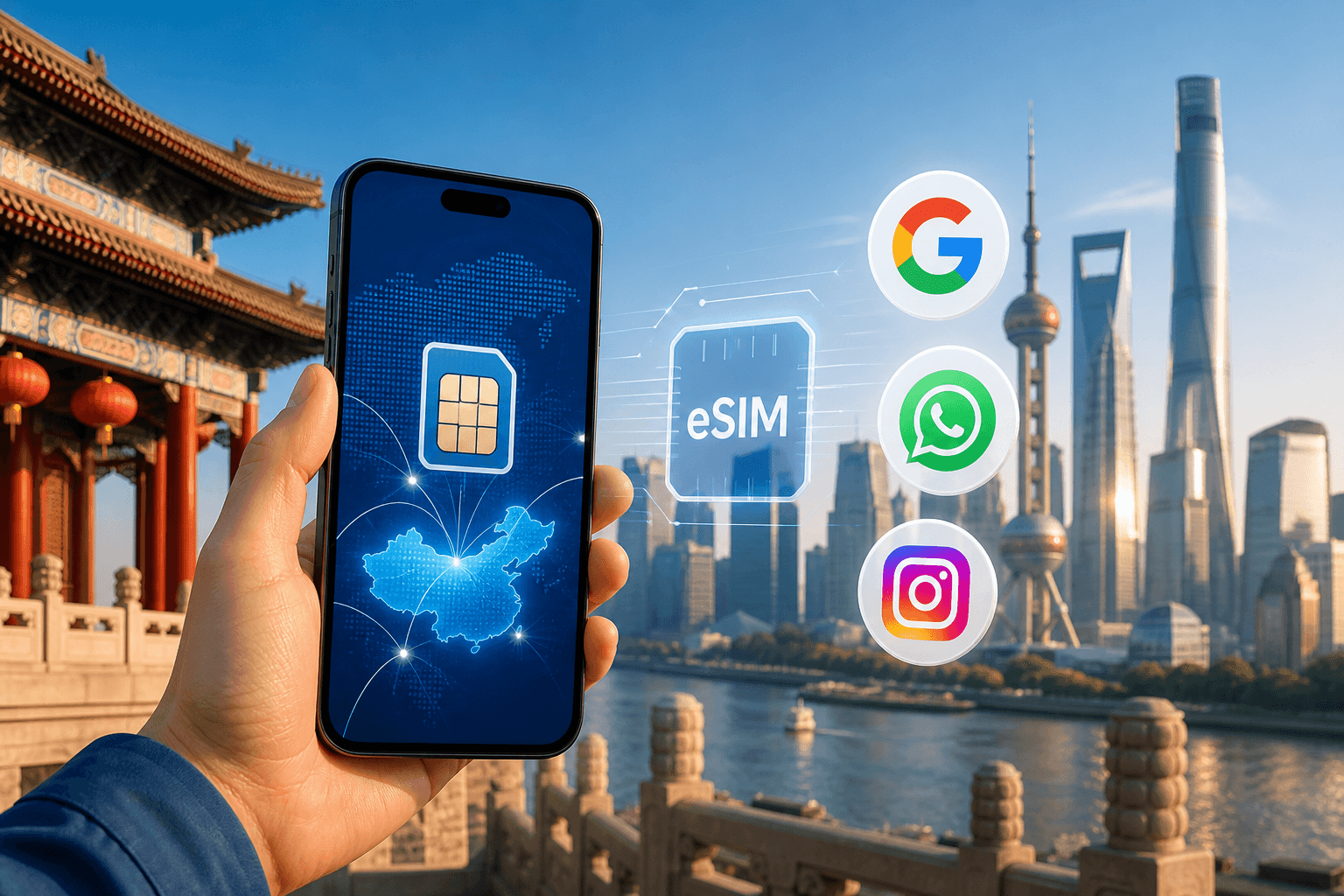
A travel eSIM is usually the easiest way to get mobile data in mainland China while keeping access to Google and WhatsApp. Instagram and many other Western services usually work too. The reason is practical: a travel eSIM is a roaming profile, so your phone connects to a Chinese network but your traffic typically exits through the provider’s network outside mainland China.
If you want to compare current options and live prices, start with the China destination page: China eSIM. Do not rely on a saved screenshot or an old article for pricing; the storefront is the place to check the current number.
Why Google, WhatsApp, and Instagram usually work on a travel eSIM in mainland China
On a local Chinese SIM, Google, WhatsApp, Instagram and many other Western services are blocked. A travel eSIM works differently because it uses roaming. Your phone attaches to a local network in China for radio coverage, but the data route is normally handled outside mainland China by the eSIM provider. That routing is why those apps usually work on a travel eSIM without a VPN.
Treat “usually” as the operating word. Mobile routing can change, an app can have its own outage, and a hotel or airport Wi-Fi network in mainland China may still behave like any other local connection. If Google Maps works on mobile data but not on hotel Wi-Fi, the eSIM is not the problem; you are simply using a different route to the internet.
When an app will not load, check the phone before you assume censorship or blocking:
- Turn off Wi-Fi so the phone is definitely using mobile data.
- Confirm the eSIM is selected for mobile data, not your home SIM.
- Turn data roaming on for the eSIM line.
- Toggle Airplane Mode on for 10 seconds, then turn it off.
- If signal is weak or data stalls, manually try another available network.
This matters most when you land. Many phones keep the home SIM selected for mobile data after an eSIM is installed. The status bar may show signal on both lines, but data will still fail or roam on the wrong line until you choose the China eSIM as the mobile data line.
There is also a difference between app access and account security. Even when WhatsApp or Gmail loads, your bank, email provider or work system may challenge the login because it sees a new country or a roaming IP route. Before travelling, make sure important accounts have working two-factor methods that do not depend only on receiving SMS to a SIM you plan to disable.
China eSIM plans and prices in 2026 (what you can actually buy)
BeeSim’s China mainland catalog has two useful plan styles: fixed-data plans and daily plans. Fixed-data plans give you a set amount of data for the whole validity period. Daily plans give you a full-speed allowance each day; after that day’s allowance is used, speed drops rather than behaving like the original full-speed allowance.
The fixed-data mainland options are:
- 1 GB for 7 days
- 3 GB for 15 days
- 3 GB for 30 days
- 5 GB for 30 days
- 10 GB for 30 days
- 20 GB for 30 days
- 50 GB for 30 days
- 50 GB for 180 days
These are best when you want a clear total allowance. A short trip with light use can fit a smaller fixed plan if you mostly need maps, messaging, ride-hailing and translation. Choose a larger fixed plan if you expect long days away from Wi-Fi, frequent video calls, cloud photo backup, laptop tethering or app downloads. The 180-day option is for a much longer stay or repeated entries during the plan validity window, not for someone who only needs data for a long weekend.
The daily plans are built around daily full-speed allowances of 500 MB, 1 GB, 2 GB, 3 GB, 5 GB or 10 GB per day, with plan durations from 1 to 30 days. After the daily allowance is used, speed drops. That slower connection may still be enough for basic messaging, but it is not the same as having full-speed data for maps loading, video calls or hotspot use.
A daily plan is useful when your usage is uneven but you want a fresh allowance each day. For example, if you use a lot of data on arrival for maps and translation, then book rides later in the day, a daily plan can be easier to manage than watching one total bucket. A fixed-data plan is cleaner when you know you need a larger pool and do not want to think about a daily threshold.
Validity has two separate rules. First, the plan’s validity starts when the eSIM first connects to a network in mainland China. Installing it before your flight does not start the travel days by itself. Second, the eSIM must be installed within 180 days of purchase, so do not buy too far ahead and leave the QR code unused.
For prices, use the live China page rather than copied figures in an article: China eSIM. Prices change, and the destination page is the only place that should carry the current amount.
Mainland China vs Hong Kong and Macau: coverage depends on the plan’s country list
Hong Kong and Macau are separate destinations with their own networks. They also do not have the same blocking environment commonly seen on mainland connections. A mainland China plan does not automatically cover Hong Kong or Macau unless the plan’s country list says it does.
This is the detail that causes problems on multi-stop trips. If you land in Hong Kong, spend a night there, then take the train to Shenzhen, a mainland-only eSIM will not be useful for that first Hong Kong segment. It should start working only when the phone can connect to a supported mainland network. The same logic applies if you visit Macau before or after mainland China.
Before you buy, open the plan details and match the destination list to your route, not just to the word “China.” The catalog includes regional options that cover China in combinations such as:
- China mainland and Hong Kong
- China mainland, Hong Kong and Macau
- China mainland and Japan, with South Korea included
- Asia plans covering 12 areas
Use a mainland-only plan if the whole mobile-data need is inside mainland China. Use a regional plan if your itinerary crosses into Hong Kong, Macau, Japan, South Korea or a wider Asia route and you want one eSIM profile to cover those stops.
The trade-off is control. A single regional plan is simpler because you do not have to install and switch between destination-specific eSIMs at each border. A destination-specific plan can be tidier when your trip is only mainland China and you do not need the extra coverage. Either way, the plan’s country list is the document to trust.
If you already bought the wrong coverage, do not delete the eSIM in panic. Check whether the phone is physically in a supported destination, confirm roaming is on, and read the plan country list again. Deleting an eSIM can make troubleshooting harder because many eSIM profiles cannot simply be reinstalled like an app.
What networks you’ll use in China (and what that means for speed)
China’s three main mobile networks are China Mobile, China Unicom and China Telecom. BeeSim plans for mainland China can connect to China Unicom 5G, China Mobile 5G and China Telecom 5G. In practice, China has 4G and 5G coverage nearly everywhere people live, but your actual speed still depends on location, signal, congestion and the building you are in.
Do not judge the plan from one bad indoor test. Basement restaurants, lifts, thick hotel walls, exhibition halls and underground transport can all reduce signal. Step outside or near a window, wait a minute, then test again with Wi-Fi turned off. If the phone shows 5G but nothing loads, the issue may be congestion or the selected network rather than lack of coverage.
Manual network selection is the most useful fix when data is unstable. On iPhone:
- Open Settings.
- Tap Cellular or Mobile Data.
- Tap the China eSIM line.
- Tap Network Selection.
- Turn off Automatic.
- Wait for the network list to load, then try another available network.
On Android, the names vary by brand, but the path is usually:
- Open Settings.
- Go to Network & Internet, Connections or Mobile network.
- Open SIMs, SIM Manager or Mobile networks.
- Choose the eSIM line.
- Open Network operators.
- Turn off automatic selection and choose another available network.
Give each network a short test. Open a simple webpage first, then try the app you actually need. If nothing improves, switch automatic selection back on so the phone can choose again as you move.
There is one common delay after landing: the eSIM may need a few minutes to register. If the phone shows “No Service,” turn Airplane Mode on and off. If that does not help, restart the phone. Only start changing deeper settings after you have confirmed the eSIM is installed, selected for data and allowed to roam.
How to set up a China travel eSIM (and keep your normal number)
Install the eSIM while you still have stable Wi-Fi. The validity clock starts when the eSIM first connects to a network in mainland China, but the eSIM still needs to be installed within 180 days of purchase. That makes the best timing simple: buy close enough to the trip that you are inside the installation window, install before departure, and turn it on when you land.
Before buying, confirm your phone supports eSIM and is not locked to one carrier. On iPhone, go to Settings → General → About and check for available SIM or eSIM information. On Android, look under Settings → Network & Internet or Connections → SIMs/SIM Manager. The exact wording varies, so also check the device list here: Compatible devices.
A clean setup on iPhone looks like this:
- Connect to Wi-Fi.
- Open the eSIM install link or scan the QR code.
- Add the eSIM when iOS prompts you.
- Label it “China data” so you can recognise it later.
- Keep your primary number as the default voice line if you still need calls or SMS on that number.
- Do not select the China eSIM for mobile data until you are ready to use it, unless you are already in mainland China.
When you land in mainland China, go to Settings → Cellular. Under Cellular Data, select the China eSIM. Then tap the China eSIM line and turn Data Roaming on. If you want to avoid accidental data use on your home SIM, leave your home SIM active for calls and SMS but do not select it for Cellular Data.
On Android, install while connected to Wi-Fi, then label the eSIM clearly if your phone allows it. When you land, go to Settings → Network & Internet or Connections → SIMs/SIM Manager, choose the eSIM for mobile data, and turn roaming on for that eSIM. Some Android phones have separate toggles for the SIM being active and for roaming, so check both.
Do not delete your original SIM or disable your normal number unless you mean to. Many travellers keep the home line on for bank texts or incoming calls, while the eSIM handles data. If your home carrier charges for roaming calls or SMS, check those settings with the carrier before leaving; the travel eSIM controls mobile data, not your home plan’s voice charges.
If installation fails, start with the simple causes. Make sure the phone is online via Wi-Fi, the camera can read the QR code clearly, and the eSIM has not already been installed on another device. If the install screen says the code is no longer valid, stop retrying and contact support from the order page rather than deleting other SIMs.
Hotspot/tethering: plan your data before you share it
Hotspot use is where travellers often underestimate data. A laptop can spend data in the background on system updates, cloud sync, email attachments and browser tabs. A tablet can start downloading photos or offline video as soon as it sees a personal hotspot that looks like Wi-Fi.
If you plan to tether, choose between fixed and daily plans based on how you work. A fixed-data plan gives one total allowance, which suits someone who wants to manage a larger pool over the trip. A daily plan gives a full-speed allowance per day; after that allowance, speed drops, so one heavy laptop session can slow the rest of that day’s mobile use.
Before connecting a laptop, set it to treat the hotspot as metered if the operating system supports it. On Windows, open Settings → Network & internet → Wi-Fi, select the hotspot network, and turn on Metered connection. On macOS, there is no single identical switch for every version, so pause cloud sync apps manually and avoid large downloads. On iPhone and Android tablets, turn off automatic app updates before long tethering sessions.
If the laptop connects to the hotspot but pages do not load, check the phone first. Turn off Wi-Fi on the phone, confirm mobile data works directly on the phone, and make sure the eSIM is the selected data line. If the phone itself has no data, the hotspot cannot fix it. If the phone has data but the laptop does not, disconnect and reconnect the hotspot, then restart the laptop’s Wi-Fi.
For group travel, avoid making one phone the permanent router unless that is the plan you bought for. Two people using maps, translation and messaging is manageable on modest use. Several devices doing video calls or cloud backup is a different pattern and should push you toward a larger allowance or a daily plan with a higher full-speed threshold.
What happens when you use your allowance
On a daily plan, the key rule is clear: you get the stated full-speed allowance each day, and after that daily allowance is used, speed drops. Messaging may still get through, but heavy pages, map tiles, video calls and hotspot use can become frustrating. If you depend on mobile data for work calls or navigation late in the day, choose a daily allowance that leaves room for those tasks.
On a fixed-data plan, treat the allowance as a trip budget. Phones do not always warn you before a travel plan is nearly used, so use the phone’s built-in counter: on iPhone, go to Settings → Cellular, scroll to Cellular Data, and check usage for the eSIM line. You can reset statistics at the start of the trip to make the number easier to read. On Android, go to Settings → Network & Internet or Connections → Data usage, then check usage for the eSIM line.
Reduce background use before it becomes a problem. Download offline maps over Wi-Fi before long travel days, and turn off automatic app updates on mobile data. Pause cloud photo backup until you are on Wi-Fi. In messaging apps, disable automatic media downloads on cellular if group chats are active. These settings matter more in China because you may lean on mobile data for apps that do not behave the same way on local Wi-Fi.
If data slows or stops, separate allowance issues from network issues. If a daily plan slows after heavy use, you may simply have passed the full-speed daily allowance. If a fixed plan was working and then stops after substantial use, check the data counter and plan status. If usage is low but nothing loads, return to the network steps: roaming on, correct data line, Airplane Mode toggle, restart, then manual network selection.
For any live plan status, current prices or replacement purchase, use the destination page rather than old order notes or an article screenshot: China eSIM.
FAQ
Will Google, WhatsApp and Instagram work in mainland China with a travel eSIM?
Usually, yes. A travel eSIM is a roaming profile and traffic typically exits outside mainland China, so those apps often work without a VPN, but no provider can guarantee every app will work every time.
Does a mainland China eSIM work in Hong Kong or Macau?
Only if the plan’s country list includes Hong Kong and/or Macau. They are separate destinations with their own networks, and a mainland-only plan should not be treated as Hong Kong or Macau coverage.
When does the China eSIM validity period start?
Validity starts when the eSIM first connects to a network in mainland China, not when you buy it or install it. The eSIM still must be installed within 180 days of purchase.
Which Chinese networks can the eSIM use?
The mainland China plans connect to China Unicom 5G, China Mobile 5G and China Telecom 5G. China has 4G and 5G coverage nearly everywhere people live, but indoor signal and congestion can still affect speed.
Should I choose a fixed-data plan or a daily plan?
Choose fixed data if you want one total allowance for the trip. Choose a daily plan if you prefer a fresh full-speed allowance each day and understand that speed drops after the daily allowance is used.
Can I install the eSIM before travelling to China?
Yes. Install it on stable Wi-Fi before departure, then select it for mobile data and turn on roaming after you land in mainland China.
More destinations
All destinations →Topics
Frequently asked questions
Will Google, WhatsApp and Instagram work in mainland China with a travel eSIM?
Usually, yes. A travel eSIM is a roaming profile and traffic typically exits outside mainland China, so those apps often work without a VPN, but it is not guaranteed.
Does a mainland China eSIM include Hong Kong and Macau?
Only if the plan’s country list says it includes Hong Kong and/or Macau. They are separate destinations with their own networks.
When does the China eSIM validity period start?
Validity starts when the eSIM first connects to a network in mainland China. The eSIM must still be installed within 180 days of purchase.
Which networks do China mainland eSIM plans use?
The China mainland plans can connect to China Unicom 5G, China Mobile 5G and China Telecom 5G. If one network is unstable where you are, manual network selection can help.
Should I choose fixed data or a daily China eSIM plan?
Choose fixed data if you want one trip-wide allowance. Choose a daily plan if you prefer a full-speed allowance each day and accept that speed drops after that day’s allowance is used.
Can I install the eSIM before I travel to China?
Yes. Install it on Wi-Fi before departure, then select it for mobile data and turn on roaming when you land in mainland China.
BeeSim Editorial
Travel eSIM guides from the BeeSim team: activation, coverage caveats, and the mistakes that strand travellers.
Editorial policyRelated articles
- Turkey
Buy Turkey eSIM in 2026: local SIM rules, networks, and install
How to buy a Turkey eSIM in 2026 without airport queues: passport and 120-day phone rules for local SIMs, Turkcell and Vodafone coverage, and install steps before you fly.
Oct 29, 202612 min read2 views
- South Korea
eSIM for South Korea: plans, setup, subway and KTX coverage
South Korea eSIM plans cover fixed data up to 50 GB and daily options up to 10 GB per day, with setup steps plus subway and KTX notes.
Oct 28, 20268 min read
- Indonesia
eSIM for Indonesia and Bali in 2026: plans, prices, and the IMEI rule a travel eSIM avoids
Indonesia’s IMEI blocking affects imported phones that use a local SIM without customs registration. A travel eSIM is a roaming profile, so the block doesn’t apply—while still giving you data on Telkomsel, Indosat, XL or 3 in Bali, Java, Lombok and beyond.
Oct 28, 202613 min read
- France
eSIM for France in 2026: plans, prices, and coverage in Paris, on the TGV, and in the countryside
A practical guide to choosing a France eSIM in 2026: plan sizes and prices, what coverage is like in Paris, on TGV routes, and in rural areas, plus setup steps and troubleshooting.
Oct 28, 20269 min read
- eSIM
eSIM for Portugal: plans, coverage, setup
Portugal eSIM guide with 6 fixed-data plans, daily options, Lisbon and Porto 5G notes, Madeira/Azores coverage, setup and fixes.
Oct 28, 20269 min read1 views
- eSIM
eSIM for India: plans, Jio questions, setup and local SIM paperwork
India eSIM plans include 9 fixed-data choices and 15 daily options. See what to check if you are not a Jio user or already requested Jio eSIM.
Oct 28, 202610 min read