Germany eSIM guide: which data plan to choose for your trip
Choose a Germany eSIM by trip length: 3 GB / 30 days for light use, 5 GB / 20 days for two weeks, or 50 GB / 30 days for a month.
Updated Oct 17, 202610 min read2 views
In this guide
For a Germany trip, choose the plan by days first and data second: 3 GB / 30 days for a light week, 5 GB / 20 days for two weeks, and 50 GB / 30 days for a full month. Install the eSIM before your flight; the plan validity starts only when it first connects in Germany.
BeeSim catalog data for Germany was checked on 2026-10-01. The live plan list and current prices are on the Germany destination page in the store, so use this guide for size and duration, then check the storefront before buying.
Which Germany eSIM plan should you choose for 7, 14 or 30 days?
The Germany catalog has 13 plans. The cheapest Germany-only entry point is 3 GB / 30 days, the practical two-to-three-week option is 5 GB / 20 days, the main monthly option is 50 GB / 30 days, and the largest listed option is 100 GB / 60 days. There is also a daily plan with 10 GB full speed per day, then reduced speed after the daily volume.
| Trip length | Good Germany-only choice | Use this if | When to move up |
|---|---|---|---|
| 7 days | 3 GB / 30 days | You mostly use maps, messengers and booking apps | Choose the daily plan if you expect video, work calls or heavy same-day use |
| 14 days | 5 GB / 20 days | You want a simple two-week plan for light daily use | Choose 50 GB / 30 days if you use social video, stream or share hotspot |
| 30 days | 50 GB / 30 days | You want enough room for normal travel plus heavier days | Choose 100 GB / 60 days if you work online, stream often or need data beyond the month |
For a short city trip where you only need navigation and messaging, 3 GB / 30 days is the cheapest Germany option in the catalog. The validity is longer than the trip, which is fine; unused time simply gives you buffer if your dates move.
For two weeks, 5 GB / 20 days fits the trip length better. It is not a heavy-use plan, so do not pick it if you expect to upload large files, watch video on mobile data, or use your phone as the main internet connection for a laptop.
For a month, 50 GB / 30 days is the cleaner choice for most travellers who do not want to count every session. If Germany is one stop in a longer route, compare that Germany-only plan with the regional options below before you buy.
How much data do you need in Germany?
Start with your daily behaviour. Maps and messengers use far less than social feeds, video, work calls and hotspot. The table below uses three practical travel profiles and matches each estimate to a catalog option you can check.
| Traveller type | Approx. use | 7 days | 14 days | 30 days | Plan to check |
|---|---|---|---|---|---|
| Maps, messengers, bookings | ~0.3 GB/day | ~2.1 GB | ~4.2 GB | ~9 GB | 3 GB / 30 days for 7 days; 5 GB / 20 days for 14 days; Europe 10 GB / 30 days or Germany 50 GB / 30 days for 30 days |
| Social media and some video | ~1 GB/day | ~7 GB | ~14 GB | ~30 GB | Germany daily plan for short heavy days, or 50 GB / 30 days for a single larger pool |
| Work, hotspot and streaming | ~2.5 GB/day | ~17.5 GB | ~35 GB | ~75 GB | 50 GB / 30 days for 7 or 14 days; 100 GB / 60 days for 30 days |
The daily plan is useful when consumption is uneven. A work day with uploads, video meetings and hotel Wi-Fi problems can burn through data quickly; the daily plan gives 10 GB full speed per day, with reduced speed after that day’s volume. If you prefer one pool of data instead of a daily allowance, use 50 GB / 30 days or 100 GB / 60 days.
Do not assume hotspot is included. Tethering availability is stated per plan on the plan page, so check that line before buying if you need to connect a laptop, tablet or another traveller’s phone.
What should you know about mobile coverage in Germany?
Germany’s networks are Telekom, Vodafone and O2, plus 1&1 on its own network in cities. Cities and autobahns are fine for typical travel use, but coverage on regional trains and in the countryside is patchier than Germany’s reputation suggests.
That matters for route planning. If you are taking regional trains, save tickets, hotel addresses and offline map areas before leaving a city. Do the same before hiking, driving through rural areas, or spending a day outside major towns. An eSIM cannot fix a weak coverage area; it can only connect where the phone can see a usable network.
If data stalls on a train, avoid changing several settings at once. Wait until the next station or a more open area, then toggle airplane mode off and on. If the phone has fallen back badly after a tunnel or rural stretch, that small reset often forces it to search again.
Should you buy a Germany eSIM or a Europe regional plan?
Use a Germany-only eSIM if your trip is only Germany and you want the catalog choices above. Use a regional plan if Germany is part of a wider route, because Germany is in the EU and a Europe regional eSIM covers Germany and neighbouring countries on the same eSIM.
The Europe regional bundle covers 40+ areas. In the catalog, its cheapest option is 1 GB / 7 days, the two-to-three-week option is 3 GB / 15 days, the monthly option is 10 GB / 30 days, and the largest option is 50 GB / 180 days.
The Global bundle covers 120+ areas. Its cheapest option is 1 GB / 365 days, the short-trip option is 3 GB / 5 days, the two-to-three-week option is 20 GB / 20 days, and the 30-day option is 12 GB / 30 days.
| Route | Plan family to check | Catalog options that matter |
|---|---|---|
| Germany only | Germany eSIM | 3 GB / 30 days, 5 GB / 20 days, 50 GB / 30 days, 100 GB / 60 days, daily plan |
| Germany plus nearby European countries | Europe regional bundle | 1 GB / 7 days, 3 GB / 15 days, 10 GB / 30 days, 50 GB / 180 days |
| Germany plus countries outside Europe | Global bundle | 3 GB / 5 days, 20 GB / 20 days, 12 GB / 30 days, 1 GB / 365 days |
For a rail trip across borders, the regional plan avoids installing and switching multiple destination eSIMs. For a data-heavy month only in Germany, the Germany 50 GB / 30 days plan is the more relevant catalog item to compare against the Europe 10 GB / 30 days plan.
When should you install the eSIM?
Install it before the flight, while you still have stable home internet. BeeSim plans start validity at the first connection in the destination, not when you scan the QR code at home, so early installation is the safer option.
Keep your primary SIM active for calls and banking messages if you need it, but set mobile data to the travel eSIM only after arrival. Travel eSIM plans here are data-only: no local German phone number and no SMS are included.
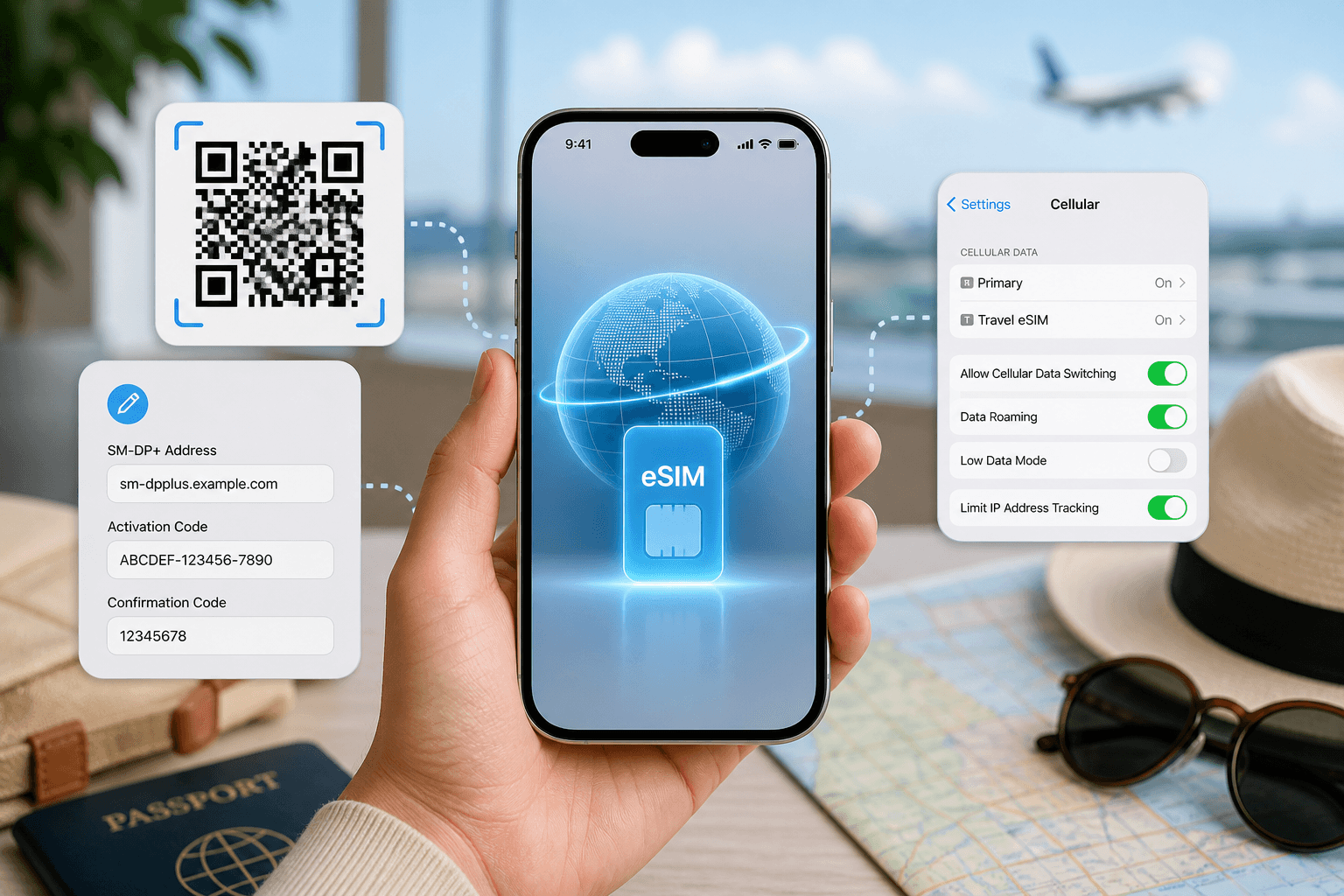
You can install by QR code or by manual SM-DP+ entry. QR is faster. Manual entry is useful if you are setting up from the same phone that received the QR code, or if the camera scan fails.
How do you install a Germany eSIM on iPhone?
On iOS 17 or iOS 18, install before departure:
- Open Settings > Cellular. In some regions this is Settings > Mobile Service.
- Tap Add eSIM.
- Tap Use QR Code and scan the QR from your order.
- If scanning is not possible, tap Enter Details Manually and enter the SM-DP+ details from the order.
- Label the line Germany or Travel so you can identify it later.
- Keep your usual line as Default Voice Line if you still need your normal number.
- Leave mobile data on your home line until you land, unless you are already in Germany.
On arrival in Germany:
- Go to Settings > Cellular or Mobile Service.
- Tap Cellular Data and choose the Germany eSIM.
- Open the eSIM line and turn it on.
- If data does not start, turn Data Roaming on for the eSIM line.
- Open a browser or maps app and test mobile data before leaving the airport or station.
Do not delete the eSIM if the first test fails. Deleting can make recovery harder; adjust settings first, then contact support by email from the site if it still will not connect.
How do you install a Germany eSIM on Android?
Android menus vary by brand, but the flow is the same: add the eSIM, name it, then choose it for mobile data after arrival.
For Samsung on Android 14 or Android 15:
- Open Settings > Connections > SIM manager.
- Tap Add eSIM.
- Scan the QR code, or use the manual entry option if shown.
- After arrival, return to SIM manager and set Mobile data to the Germany eSIM.
- Go to Settings > Connections > Mobile networks and turn Data roaming on for the eSIM if data does not start.
For Google Pixel on Android 14 or Android 15:
- Open Settings > Network and internet > SIMs.
- Tap Add SIM or Add eSIM.
- Scan the QR code.
- For manual entry, use the option to enter details manually when the scan screen cannot read the code.
- After arrival, open Settings > Network and internet > SIMs, select the Germany eSIM, and turn Mobile data on.
- Turn Roaming on for that eSIM if needed.
For Xiaomi on Android 14 or Android 15:
- Open Settings > Mobile networks.
- Tap Manage eSIM, then Add eSIM.
- Scan the QR code or enter the SM-DP+ details manually if that option is available.
- Set the Germany eSIM as the data SIM after arrival.
- If you do not see Manage eSIM, check whether that exact phone model and software build support eSIM before buying.
If your Android phone offers several SIM-related menus, search Settings for eSIM. If no eSIM option appears, do not buy yet; check the plan page or contact support from the BeeSim site.
How does a Germany eSIM compare with a local SIM?
A travel eSIM avoids the local SIM routine: finding a shop, showing a passport if requested, waiting in a queue, and swapping or adding a physical card. That matters if you land late, arrive by train, or need data before you reach your hotel.
A local SIM may still suit travellers who specifically need a local number or in-store help. The Germany eSIM plans in this guide are data-only, so they are not a replacement for a German phone number. For messaging apps, maps, email, rides and bookings, data is usually the main requirement.
The practical trade-off is time versus local retail setup. If you install the eSIM before departure, you can turn on the line after landing and test it immediately. If you wait for a local SIM, plan for shop opening hours and setup time.
What can go wrong with a Germany eSIM and how do you fix it?
Most problems are setup-related, not plan-related. Work through the checks in order.
| Problem | Likely cause | What to do |
|---|---|---|
| QR code will not scan | Screen glare, wrong device, camera issue | Increase brightness, open the QR on another screen, or use manual SM-DP+ entry |
| eSIM installed but no data | Wrong line selected for mobile data | Set the Germany eSIM as the mobile data line in Cellular, Mobile Service or SIM settings |
| Signal appears but pages do not load | Roaming disabled for the travel eSIM | Turn Data Roaming on for the eSIM line, then toggle airplane mode |
| Data drops on trains or rural routes | Patchy coverage outside cities and autobahns | Wait for a better coverage area, then toggle airplane mode and retry |
| Laptop will not connect by hotspot | Tethering not included or not enabled on that plan | Check the plan page for hotspot availability before relying on it |
| Data is running out | The plan cannot be topped up | Buy another plan and install it before the current one becomes a problem |
If manual network selection is enabled, switch back to automatic unless support tells you otherwise. Germany has Telekom, Vodafone, O2 and 1&1 networks, but your phone and plan must be allowed to attach to the available network at your location. Forcing one network can make the phone ignore a better available option.
If nothing works after the settings checks, send support an email from the site. Include the plan name, phone model, whether the eSIM is installed, what the signal icon shows, and the step where data stops working.
More destinations
All destinations →Topics
Frequently asked questions
Does a Germany eSIM give me a German phone number?
No. BeeSim travel eSIM plans are data-only, so they do not include a local phone number or SMS.
Can I keep using WhatsApp or Signal with my normal number?
Yes. Messaging apps usually stay tied to the account already registered on the phone, while the eSIM supplies mobile data.
Should I remove my home SIM before using the Germany eSIM?
No. You can usually keep it installed and set mobile data to the travel eSIM. If you want to avoid home-network roaming charges, turn data roaming off on your primary line.
Can I install the eSIM if I only have one screen for the QR code?
Yes. Use the manual SM-DP+ entry option instead of scanning, or open the QR code on another device so your phone camera can read it.
Where do I check payment and refund details?
Use the BeeSim FAQ page at /faq for payment and refund rules, because those policies belong with the checkout information rather than a destination guide.
Editorial Team
Guides and articles from our editorial team.
Related articles
- United Kingdom
eSIM for United Kingdom: Which UK Data Plan to Buy
Choose a UK eSIM by trip length and daily data use, then check the live price on the destination page before you buy.
Oct 17, 202611 min read5 views
- iPhone eSIM
How to install a travel eSIM on iPhone: QR code, manual SM-DP+ entry, and the settings people miss
Install a travel eSIM on iPhone with QR or manual SM-DP+ entry, then set the travel line for data and turn roaming on when you arrive.
Oct 15, 20269 min read
- Portugal
eSIM for Portugal: which plan to buy before you land
Choose a Portugal eSIM by trip length and daily data use, from 3 GB / 30 days to 100 GB / 60 days. Install before flying.
Oct 13, 202610 min read
- southeast asia esim
Southeast Asia eSIM: one plan for Thailand, Vietnam, Malaysia, Indonesia and more
Which Southeast Asia eSIM covers your route, where Singapore fits, and how to choose between regional and country plans without overbuying data.
Oct 12, 202612 min read
- cruise eSIM
eSIM on Cruise Ship: What Works at Sea and in Port
Cruise data guide for sea days, port calls and tender boats: when a travel eSIM works, which plans fit, and what to check before sailing.
Oct 11, 202610 min read
- eSIM setup
How to check if your phone is carrier-unlocked before buying a travel eSIM
Check eSIM hardware with *#06# and carrier lock in settings before you buy. iPhone and Android paths differ, especially Samsung, Pixel and Xiaomi.
Oct 9, 20269 min read