eSIM for Portugal: which plan to buy before you land
Choose a Portugal eSIM by trip length and daily data use, from 3 GB / 30 days to 100 GB / 60 days. Install before flying.
Published Oct 13, 202610 min read
In this guide
For most trips, choose a Portugal eSIM by trip length first, then by your daily data use: 3 GB / 30 days for light short trips, 50 GB / 30 days for normal use, and 100 GB / 60 days for heavy use or longer stays. Install the eSIM before your flight; its validity starts when it first connects in Portugal, not when you scan the QR code at home.
BeeSim’s Portugal catalog has 10 plans, with live prices on the Portugal eSIM page. Do not choose by a saved screenshot or an old article price: plan prices change, while the useful decision is the data size, duration and whether the plan fits your route.
Which Portugal eSIM plan should you buy for 7, 14 or 30 days?
If you want the shortest answer, use this as the buying rule:
| Trip length | Recommended Portugal plan | Who it fits | What to check before buying |
|---|---|---|---|
| 7 days | 3 GB / 30 days | Maps, messaging, light browsing | Enough only if you do not stream much |
| 14 days | 50 GB / 30 days | Social media, video calls, some video | Hotspot availability on the plan page |
| 30 days | 50 GB / 30 days | Normal travel use for a month | If you work or stream daily, compare with 100 GB / 60 days |
| 30 days, heavy use | 100 GB / 60 days | Work, streaming, frequent hotspot use | Device eSIM support and hotspot rules |
The cheapest entry point in the Portugal catalog is 3 GB / 30 days. It makes sense for a week if you mainly need maps, messengers and transport searches. It is not the right plan if you watch video every day or expect to tether a laptop.
For two weeks, the safer choice is 50 GB / 30 days. It gives you room for social media, short video use, restaurant searches, translation, navigation and calls over data apps. It also avoids the common problem of buying too little data, then having to buy another plan mid-trip because BeeSim plans cannot be topped up.
For a month, start with 50 GB / 30 days if your use is normal. Move to 100 GB / 60 days if you work on the road, use hotspot when allowed by the plan, or stream often. The largest Portugal plan in the catalog is 100 GB / 60 days.
There is also a daily plan with 10 GB full speed per day, then reduced speed after the daily volume. This is useful when you expect high use on particular days and can accept reduced speed after the daily allowance. Check the plan page for the exact duration and hotspot line before buying.
How much data do you need in Portugal?
Use the table below to size the plan before you look at live prices. The estimates are deliberately practical: navigation and messaging use far less than video, while work and hotspot can consume data quickly.
| Traveller type | Estimated use | 7 days | 14 days | 30 days | Portugal plan match |
|---|---|---|---|---|---|
| Maps and messengers | ~0.3 GB/day | 2.1 GB | 4.2 GB | 9 GB | 3 GB / 30 days for 7 days; 50 GB / 30 days for longer stays |
| Social media and some video | ~1 GB/day | 7 GB | 14 GB | 30 GB | 50 GB / 30 days |
| Work, hotspot and streaming | ~2.5 GB/day | 17.5 GB | 35 GB | 75 GB | 50 GB / 30 days for shorter trips; 100 GB / 60 days for 30 days |
A light traveller can make 3 GB work for a week by using hotel Wi-Fi for app updates, photo backups and video. For two weeks, the same light traveller should not buy only on the cheapest label; the estimate rises above the 3 GB plan.
If you use Instagram, TikTok-style video, YouTube, FaceTime, WhatsApp calls or cloud photo backup, treat yourself as the middle row at minimum. Short clips and automatic uploads are the usual reason a small plan disappears faster than expected.
If you are working from Portugal, check the hotspot line on the individual plan page before you buy. Hotspot and tethering are stated per plan; do not assume every eSIM plan allows it. If the page does not say what you need, contact support by email from the site before purchase.
Where do Portugal eSIM prices live?
Live prices are on the Portugal eSIM page, next to each data size and duration. The storefront is the reliable place to compare the current Portugal plans because catalog prices can change.
Use price only after you have narrowed the choice by data. A cheap small plan is not cheaper if it runs out and you have to buy another plan. BeeSim plans cannot be topped up, so the fallback is to buy a new plan from the website or app.
For payment and refund rules, use the BeeSim FAQ. Do not rely on a blog article for those details because checkout and policy information belongs on the live help page.
Will a Portugal eSIM work in Lisbon, Porto, Madeira and the Azores?
Portugal’s networks are MEO, NOS and Vodafone. The country has 4G across the country and 5G in Lisbon and Porto.
Madeira and the Azores are covered like the mainland. That matters if your trip combines Lisbon with Funchal, Ponta Delgada or another island stop: you do not need a separate island-specific eSIM in the Portugal catalog.
Coverage still depends on where you are standing. Dense buildings, rural valleys, ferry routes and indoor rooms can all affect signal. If data stops working in one place but the eSIM is installed correctly, move outside or try again in another location before changing settings.
Should you buy a Portugal-only eSIM or a Europe regional plan?
Buy a Portugal-only plan if Portugal is the whole trip. Buy a Europe regional plan if Portugal is one stop on a wider route, especially if you also visit Spain.
Portugal is in the EU, and BeeSim’s Europe regional bundle covers Portugal together with Spain and other European areas. The Europe bundle includes 40+ areas, so it is the cleaner option when your itinerary crosses borders and you want one data plan instead of separate country plans.
| Route | Plan type to compare | Catalog options to look at |
|---|---|---|
| Portugal only | Portugal eSIM | 3 GB / 30 days, 50 GB / 30 days, 100 GB / 60 days, daily plan |
| Portugal and Spain | Europe regional eSIM | 1 GB / 7 days, 3 GB / 15 days, 10 GB / 30 days, 50 GB / 180 days |
| Several European countries | Europe regional eSIM | 40+ areas bundle, especially the 50 GB / 180 days option for longer routes |
The Europe bundle’s cheapest entry option is 1 GB / 7 days. For two to three weeks, compare 3 GB / 15 days if your use is very light. For a month, the Europe 10 GB / 30 days option can fit a low-data traveller visiting multiple countries, while the 50 GB / 180 days option is the largest Europe bundle listed here.
If your use is heavy and Portugal is the main stay, compare the Portugal 50 GB / 30 days and 100 GB / 60 days plans against the Europe bundle on the live pages. The better choice depends on route and live pricing, not only the number of countries.
When should you install the Portugal eSIM?
Install it before the flight, while you still have reliable Wi-Fi. The plan validity starts at the first connection in the destination, so scanning the QR code at home does not start the plan if it does not connect to Portugal yet.
This is the practical sequence:
- Buy the plan before departure.
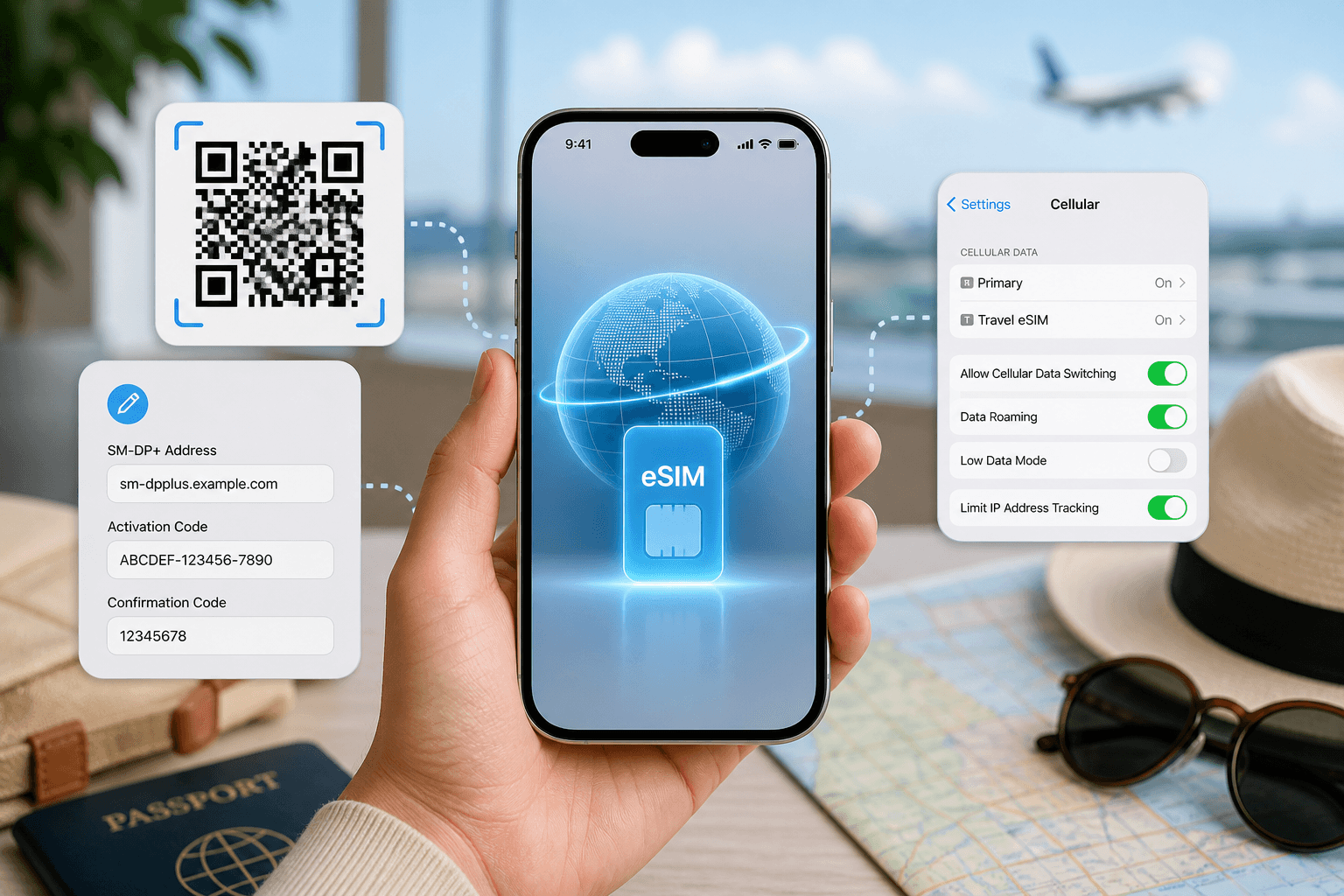
- Install the eSIM at home using the QR code, or use manual SM-DP+ entry if needed.
- Keep your primary SIM active if you need calls or SMS from your usual number.
- Leave the travel eSIM off until arrival if your phone makes that clearer.
- In Portugal, choose the eSIM for mobile data and turn on data roaming for that eSIM line.
BeeSim plans are data-only. They do not include a local Portuguese phone number or SMS. Your apps that use data will work once mobile data is active, but ordinary calls and texts remain with your existing mobile provider if you keep that SIM enabled.
How do you install and turn on the Portugal eSIM on iPhone?
On iOS 17 and iOS 18, install from the QR code like this:
- Open Settings.
- Go to Cellular, or Mobile Service depending on your region settings.
- Tap Add eSIM.
- Choose Use QR Code.
- Scan the QR code from your purchase email or account screen.
- Label the line clearly, for example “Portugal data”.
When you land:
- Open Settings.
- Go to Cellular or Mobile Service.
- Tap Cellular Data.
- Select the Portugal eSIM line.
- Turn off Allow Cellular Data Switching if you want to prevent the phone using your home SIM for data.
- Open the Portugal eSIM line settings.
- Turn Data Roaming on for that eSIM line.
Data roaming must be on for many travel eSIMs because the eSIM connects as a roaming data profile. That does not mean you are using your home carrier’s roaming, as long as mobile data is set to the travel eSIM.
How do you install and turn on the Portugal eSIM on Android?
Android wording varies by brand. The goal is the same: add the eSIM, select it for mobile data, then turn on roaming for that eSIM.
| Phone | Install path | Arrival settings |
|---|---|---|
| Samsung, Android 14/15 | Settings > Connections > SIM manager > Add eSIM > Scan QR code | Settings > Connections > SIM manager > Mobile data > choose the eSIM; then Mobile networks > Data roaming on |
| Google Pixel, Android 14/15 | Settings > Network & internet > SIMs > Add SIM > Download a new eSIM > scan QR code | Settings > Network & internet > SIMs > choose the eSIM > Mobile data on; Roaming on |
| Xiaomi, Android 14/15 | Settings > SIM cards & mobile networks > Manage eSIM or eSIM > Add eSIM > scan QR code | Settings > SIM cards & mobile networks > choose the eSIM for mobile data; turn Data roaming on |
If the QR code does not scan, use manual installation with the SM-DP+ details from your order. Enter the address and activation information exactly as shown. Copying an extra space is enough to cause a failed installation.
Before you buy, check that your phone supports eSIM and is not locked to one carrier. If you are unsure, check your device settings or contact support through the site with your phone model.
Is an eSIM better than buying a local SIM in Portugal?
An eSIM is usually the faster choice if your phone supports it because you can buy and install before arrival. You avoid looking for a shop, queueing, and handling passport registration at the counter.
A local SIM can still make sense if you need a local phone number or SMS. A BeeSim Portugal eSIM is data-only, so it is not the right product for receiving local SMS codes or giving hotels a Portuguese voice number.
For most travellers who only need maps, messaging, ride apps, email and browsing, a data eSIM is the simpler route. Keep your regular SIM in the phone if you need bank texts or calls from home, and make sure mobile data is assigned to the eSIM after landing.
What can go wrong with a Portugal eSIM, and how do you fix it?
Most problems come from installation timing, the wrong data line, roaming being off, or the phone not supporting eSIM. Work through the checks in order.
| Problem | Likely cause | What to do |
|---|---|---|
| QR code will not scan | Camera, screen brightness or damaged display issue | Increase brightness, open the QR on another screen, or use manual SM-DP+ entry |
| eSIM installs but has no data | Mobile data is still set to your home SIM | Set mobile data to the Portugal eSIM in Cellular, Mobile Service or SIM manager |
| Signal appears but pages do not load | Data roaming is off for the eSIM | Turn data roaming on for the eSIM line only |
| Plan seems active too early | Phone connected to a supported network after arrival | Validity starts at first connection in the destination; check usage in the app or site |
| Laptop tethering does not work | Hotspot may not be included on that plan | Check the plan page’s hotspot line; if unclear, email support from the site |
| Data runs out | Plan size was too small | Buy another plan; existing plans cannot be topped up |
If nothing works after those checks, restart the phone. Then check that the eSIM line is turned on, mobile data is assigned to it, and your home SIM is not taking over data. If the settings look right, contact support by email from the site and include your destination, phone model and the step where the problem happens.
More destinations
All destinations →Topics
Frequently asked questions
Can I keep using WhatsApp with a Portugal eSIM?
Yes. WhatsApp and similar apps can keep using your existing account because the Portugal eSIM only supplies mobile data and does not replace the app identity on your phone.
Can I buy the Portugal eSIM after I land?
Yes, if you have Wi-Fi or another working data connection to complete the purchase and install the eSIM. Buying before departure is safer because you can fix installation issues before you need airport data.
Should I delete the eSIM after my Portugal trip?
Delete it only when you are sure the trip is finished and you no longer need the plan. Deleting an eSIM from the phone does not turn it into a reusable voucher.
Will the Portugal eSIM give me a Portuguese phone number?
No. BeeSim travel eSIM plans are data-only, so they do not include a local phone number or SMS service.
Can I use the same plan on two phones?
Install the eSIM on the phone you plan to use for the trip. If you need data on another device, check whether hotspot is allowed on the specific plan or buy a separate plan for that device.
Editorial Team
Guides and articles from our editorial team.
Related articles
- United Kingdom
eSIM for United Kingdom: Which UK Data Plan to Buy
Choose a UK eSIM by trip length and daily data use, then check the live price on the destination page before you buy.
Oct 17, 202611 min read5 views
- iPhone eSIM
How to install a travel eSIM on iPhone: QR code, manual SM-DP+ entry, and the settings people miss
Install a travel eSIM on iPhone with QR or manual SM-DP+ entry, then set the travel line for data and turn roaming on when you arrive.
Oct 15, 20269 min read
- eSIM
What an eSIM Is and How to Use It for Travel
A simple guide to travel eSIM basics, phone checks, buying, installation, and what to switch on after landing.
Oct 14, 20263 min read3 views
- cruise eSIM
eSIM on Cruise Ship: What Works at Sea and in Port
Cruise data guide for sea days, port calls and tender boats: when a travel eSIM works, which plans fit, and what to check before sailing.
Oct 11, 202610 min read
- Germany eSIM
Germany eSIM guide: which data plan to choose for your trip
Choose a Germany eSIM by trip length: 3 GB / 30 days for light use, 5 GB / 20 days for two weeks, or 50 GB / 30 days for a month.
Oct 7, 202610 min read2 views
- Europe eSIM
Europe eSIM: the 40+ country bundle, what it covers, and which size to buy
Use one Europe eSIM for 40+ areas including the UK, Switzerland and Turkey. See what is covered, when Balkans is better, and which size fits.
Oct 6, 202611 min read1 views