Montenegro eSIM: Coverage on the Coast, in Kotor and in Durmitor
Practical Montenegro eSIM guide: coastal coverage, Kotor signal issues, Durmitor gaps, plan sizes, activation steps and roaming checks.
Published Oct 28, 202610 min read
In this guide
Do I need an eSIM for Montenegro?
Yes, a Montenegro eSIM is useful if you want mobile data when you land or cross the border, without looking for a local SIM shop first. Check the country list carefully: Montenegro is outside the EU roaming zone and outside most generic “Europe” plans.
Start with your phone. It must support eSIM and be unlocked for mobile networks. On iOS 17 or iOS 18, check Settings > General > About for SIM restrictions, then open Settings > Cellular or Settings > Mobile Data and look for Add eSIM. On Android 14 or Android 15, the path depends on the brand: Samsung uses Settings > Connections > SIM manager, Pixel uses Settings > Network & internet > SIMs, and Xiaomi usually keeps SIM controls under Settings > Mobile networks or SIM cards & mobile networks. If the add-eSIM option is missing, check the exact model variant before buying.
Choose the plan style before you choose the size. In the BeeSim catalog, Montenegro has 5 fixed-data plans and 15 daily plans.
| Plan style | Data options | Validity options | What changes during use |
|---|---|---|---|
| Fixed-data | 1 GB, 3 GB, 5 GB, 10 GB, 20 GB | 7 days or 30 days | The plan uses one total allowance. |
| Daily | 500 MB, 1 GB, 2 GB, 3 GB, 10 GB per day | 1 to 30 days | After the daily full-speed allowance, speed drops. |
A fixed-data plan suits a short stay in Kotor, Budva or Podgorica if you use hotel Wi-Fi for heavy downloads. A daily plan is easier to control if you expect similar use each day, such as maps, messaging, bookings and photo uploads. Montenegro plans in the catalog must be installed within 180 days of purchase, and validity starts at the first connection to a network in Montenegro.
Why do over 30 million people choose Airalo?
That question is usually about what travellers want from any travel eSIM brand: buying mobile data before arrival, avoiding a plastic SIM, and checking whether the destination is actually included. For Montenegro, the important part is not the size of another company’s user base. It is the country list and the plan terms.
Montenegro needs that check because it is outside the EU roaming zone and outside most “Europe” plans. If you compare Airalo with BeeSim for this trip, look at the same practical items: whether Montenegro is included, how much data you get, how long the plan lasts, when validity starts, and which regional bundle covers your route. In the BeeSim catalog, Montenegro is available as a single-country destination and is also covered by Balkans, Global 120+ areas and Global 130+ areas plans.
What are the coverage options on the coast and in Kotor?
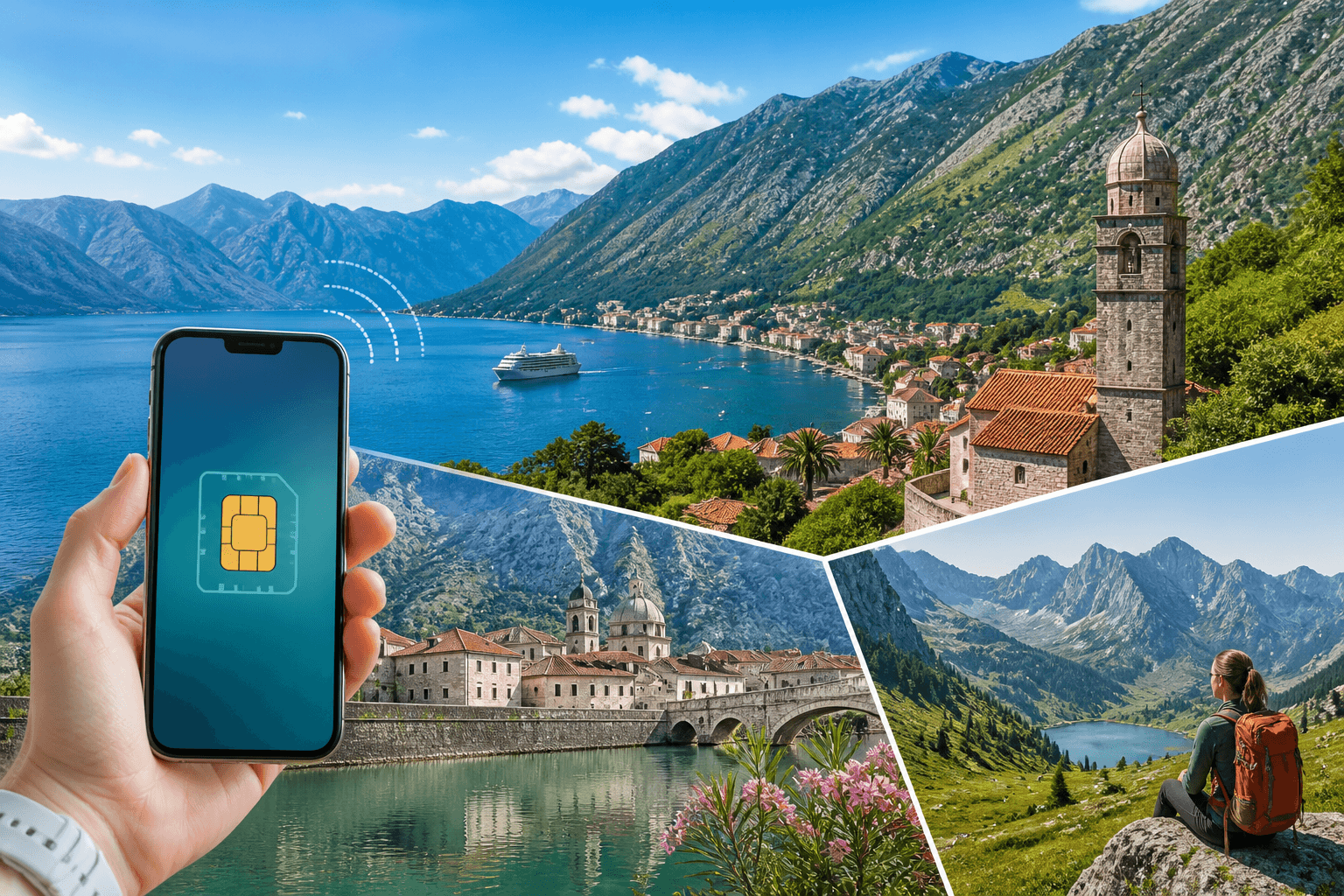
Coverage is strongest where many visitors spend their time: the coast from Herceg Novi to Ulcinj and Podgorica are covered. Durmitor and the northern canyons have gaps. Montenegro’s local networks are Crnogorski Telekom, One and m:tel.
BeeSim Montenegro plans connect to m:tel CG, T-Mobile and Telenor, with 5G listed for those networks in the catalog. Your phone may show a different commercial name or roaming label, so test a web page before changing settings.
In Kotor, signal problems are most likely inside stone buildings, in back rooms, underground parking, narrow old-town streets and viewpoints where the phone is trying to hold a weak signal across the bay. If data stalls, step outside before changing every setting. A more open street often fixes the problem faster than manual network selection.
Keep network selection on automatic for normal use. On iOS 17 or iOS 18, open Settings > Cellular > [eSIM line] > Network Selection and leave Automatic on. On Samsung with Android 14 or 15, use Settings > Connections > Mobile networks > Network operators > Select automatically. On Pixel, use Settings > Network & internet > SIMs > [eSIM] > Automatically select network. On Xiaomi, check Settings > Mobile networks > [eSIM] > Mobile networks and keep automatic selection enabled if that option is shown.
Border areas need extra attention. Near Croatia, Bosnia and Herzegovina, Albania or Serbia, your phone may see a neighbouring network. If your plan is Montenegro-only and the phone attaches to a foreign network, data may stop. Switch back to automatic first; if it keeps choosing the wrong side of the border, manually select a Montenegro network label and test again.
What about connectivity in Durmitor?
Treat Durmitor differently from the coast. Montenegro’s coast and Podgorica are covered, but Durmitor and the northern canyons have gaps. Do not rely on live mobile data as your only navigation method for hiking, canyon viewpoints or mountain roads.
Download maps before leaving a town with a stable connection. In Google Maps, tap your profile picture and choose Offline maps > Select your own map. In Apple Maps, search for the area and use Download Map where that option is available. If you use a hiking app, download the trail map inside that app too; a road map is not enough for footpaths.
Save practical information outside the browser: accommodation address, check-in notes, trail details and reservation messages. A web page can reload to a blank screen when coverage drops. A screenshot or saved note will still open.
Weak signal drains battery because the phone keeps searching. On iPhone, use Settings > Battery > Low Power Mode. On Android, use Settings > Battery > Battery Saver; on Samsung, the route may be Settings > Battery > Power saving. If you are on a long stretch with no signal, airplane mode can save power. Turn it off again at viewpoints, villages or road junctions to check whether coverage has returned.
If you have some signal but data is poor, reduce background use. On iPhone, open Settings > Cellular and disable mobile data for apps that can wait. On Pixel, use Settings > Network & internet > Data Saver. On Samsung, use Settings > Connections > Data usage > Data saver. On Xiaomi, look under Settings > Connection & sharing > Data usage or the phone’s security/data controls, depending on the software version.
Manual network selection can help if one partner network is weak, but it will not create coverage inside a canyon or behind a ridge. Move to higher or more open ground, wait for the phone to register, then test a simple web page.
How do I activate my Montenegro eSIM?
Install the eSIM while you still have stable Wi-Fi or mobile data, preferably before travel. For Montenegro plans in the catalog, validity starts only when the eSIM first connects to a network in Montenegro, and the eSIM must be installed within 180 days of purchase.
You can install by QR code or by manual SM-DP+ entry. If the QR code is on the same phone, open it on another screen or use manual details. Do not delete your existing SIM or eSIM; you are adding a travel data line.
On iOS 17 or iOS 18:
- Open Settings > Cellular or Settings > Mobile Data.
- Tap Add eSIM.
- Choose Use QR Code, or tap Enter Details Manually for SM-DP+ entry.
- Label the line, for example “Montenegro Data”.
- Keep your normal SIM as the default voice line if you still need calls and SMS.
- Choose the Montenegro eSIM under Cellular Data when you are ready to use it.
- Open the eSIM line and turn Data Roaming on after arrival.
Also check Settings > Cellular > Cellular Data. If Allow Cellular Data Switching is on, the iPhone may use whichever line has data available. Travellers who want to avoid home roaming charges usually leave this off and manually select the travel eSIM for data.
On Android 14 or Android 15:
- Samsung: Settings > Connections > SIM manager > Add eSIM.
- Pixel: Settings > Network & internet > SIMs > Add SIM.
- Xiaomi: Settings > Mobile networks or SIM cards & mobile networks, then choose the eSIM or add-SIM option shown on your model.
- Scan the QR code or enter the manual details.
- Name the eSIM clearly.
- Set it as the preferred mobile data SIM when you arrive.
- Turn on roaming for that eSIM line.
After landing or crossing into Montenegro, switch on the eSIM line and wait a few minutes. Open a light web page for the first test. If it does not load, check the active data SIM, data roaming and network selection before restarting the phone.
Kako aktivirati eSIM tarifni plan
“Kako aktivirati eSIM tarifni plan” means “how to activate an eSIM tariff plan.” For a Montenegro travel eSIM, separate installation from validity. Installation can be done before the trip while you have a reliable connection; validity for Montenegro plans starts at the first connection to a network in Montenegro.
The practical order is simple. Install the eSIM, label it, leave your usual SIM available for calls or SMS if you need it, and select the Montenegro eSIM for mobile data when you arrive. Turn on data roaming for the eSIM line, because travel eSIMs use partner networks. If you bought early, check the installation deadline: Montenegro plans in the catalog must be installed within 180 days of purchase. If activation fails after arrival, do not delete the eSIM first. Check the data line, roaming switch and network selection.
What can go wrong with a Montenegro eSIM?
The most common failure is the wrong line being used for data. On iPhone, open Settings > Cellular > Cellular Data and select the travel eSIM. On Samsung, use Settings > Connections > SIM manager > Mobile data. On Pixel, use Settings > Network & internet > SIMs and choose the eSIM for mobile data.
The second common issue is roaming being off. Turn data roaming on for the eSIM line, but keep roaming off on your home SIM if you do not want your domestic carrier to handle data abroad.
If the phone shows bars but nothing loads, toggle airplane mode for 20–30 seconds, then test again. If that fails, restart the phone. If automatic network selection keeps attaching to a weak or wrong network, try manual selection and test one Montenegro network at a time. Give each attempt a full minute; registration can finish after the signal bars appear.
Do not delete the eSIM profile while troubleshooting unless support tells you to. Deleting can be harder to fix than a settings error. If the eSIM still will not connect after checking the active data line, roaming, network selection and APN settings, contact support by email from the site and include the phone model, country, plan name and screenshots of the cellular settings.
What are the roaming considerations for Montenegro?
Montenegro is not in the EU roaming zone, so an EU SIM that works at domestic rates in Croatia or Slovenia may behave differently once you enter Montenegro. It is also outside most generic “Europe” travel plans, so the country list matters more than the regional label.
Before travel, search your existing carrier’s roaming page for Montenegro by name. Check whether data is included and whether a roaming pass starts automatically when the phone uses mobile data. If Montenegro is not in the included list, do not assume it is covered.
If your itinerary crosses borders, compare a Montenegro-only plan with a regional plan. Montenegro is covered by Balkans plans for 5+ areas, Global plans for 120+ areas and Global plans for 130+ areas. A Balkans bundle can be simpler if you move between nearby countries. A single-country plan is cleaner if the whole trip is inside Montenegro.
Use the live destination page for current plan prices; do not rely on old numbers in articles or screenshots. Plan prices change, and the destination page is the place to check the current amount before buying.
For the safest phone setup, keep your home SIM available for calls or SMS, but block it from using data abroad. On iPhone, turn roaming off on the home line under Settings > Cellular > [home line], then select the travel eSIM under Cellular Data. On Android, set the eSIM as the preferred data SIM and disable mobile data or roaming for the home SIM. Then open a web page only after confirming the Montenegro eSIM is the active data line.
More destinations
All destinations →Topics
Frequently asked questions
Does a Montenegro eSIM include a local phone number?
BeeSim travel eSIM plans are data-only, so they do not include a local phone number or SMS. Keep your regular SIM active if you need bank codes, airline messages or calls.
Can I top up a Montenegro eSIM plan?
Plans cannot be topped up. If you run out of data or need more days, buy another plan and install or activate it as instructed.
Where can I see the current Montenegro eSIM price?
Use the Montenegro destination page for live prices. Prices are listed and charged in USD, while the site may show an estimate in your local currency.
Can I use hotspot with a Montenegro eSIM?
Check the individual plan page before buying. Hotspot or tethering availability is stated per plan and should not be assumed for every eSIM.
What if the QR code will not scan?
Use manual installation if the plan provides SM-DP+ details, or display the QR code on another device and scan it again. If it still fails, contact support by email from the site before deleting anything.
BeeSim Editorial
Travel eSIM guides from the BeeSim team: activation, coverage caveats, and the mistakes that strand travellers.
Editorial policyRelated articles
- Turkey
Buy Turkey eSIM in 2026: local SIM rules, networks, and install
How to buy a Turkey eSIM in 2026 without airport queues: passport and 120-day phone rules for local SIMs, Turkcell and Vodafone coverage, and install steps before you fly.
Oct 29, 202612 min read2 views
- eSIM
eSIM for Portugal: plans, coverage, setup
Portugal eSIM guide with 6 fixed-data plans, daily options, Lisbon and Porto 5G notes, Madeira/Azores coverage, setup and fixes.
Oct 28, 20269 min read1 views
- France
eSIM for France in 2026: plans, prices, and coverage in Paris, on the TGV, and in the countryside
A practical guide to choosing a France eSIM in 2026: plan sizes and prices, what coverage is like in Paris, on TGV routes, and in rural areas, plus setup steps and troubleshooting.
Oct 28, 20269 min read
- Indonesia
eSIM for Indonesia and Bali in 2026: plans, prices, and the IMEI rule a travel eSIM avoids
Indonesia’s IMEI blocking affects imported phones that use a local SIM without customs registration. A travel eSIM is a roaming profile, so the block doesn’t apply—while still giving you data on Telkomsel, Indosat, XL or 3 in Bali, Java, Lombok and beyond.
Oct 28, 202613 min read
- eSIM
eSIM for China in 2026: plans, prices, and why Google, WhatsApp and Instagram usually work
China travel eSIMs are roaming profiles, so your data can exit outside mainland China—why Google, WhatsApp and Instagram usually work without a VPN. Here’s how plan types, live prices, networks, and setup work in 2026, plus what to watch for with Hong Kong and Macau.
Oct 28, 202614 min read
- eSIM
eSIM for Greece in 2026: plans, prices, and coverage on the islands and ferries
A practical guide to choosing a Greece eSIM in 2026: plan options and example prices, what coverage is like on islands and ferries, and the exact phone settings that usually fix “no service.”
Oct 28, 20268 min read