BeeSim vs Saily: 7 destinations, hotspot and refunds
Compare BeeSim and Saily across 7 destinations, with plan sizes, unlimited limits, hotspot rules, top-ups and refund checkpoints before you buy.
Published Oct 14, 20269 min read
In this guide
For beesim vs saily, do not decide from a copied price table: use the live side-by-side prices on the BeeSim vs Saily comparison page, then check the plan rules below. Pick Saily if you need app top-ups, a stated unlimited-data policy, or hotspot allowed without a plan-by-plan check; pick BeeSim if you want QR or manual SM-DP+ installation, validity that starts only on first connection in the destination, and the closest fixed-data plan for your trip.
The snapshot below uses the BeeSim catalog checked on 2026-10-01 and Saily plan availability checked on 2026-09-30. It deliberately does not print prices, because travel eSIM prices move and a stale number is worse than no number.
Which 7 destination plans are closest to Saily’s 5 GB / 30 days plan?
Saily sells a 5 GB / 30 days plan for each of the destinations below. In the BeeSim catalog, the closest match is also 5 GB / 30 days for Thailand, United Arab Emirates, Japan, Spain, United States and Europe; Turkey is the exception, where the closest listed plan is 4 GB / 30 days.
Use this table to narrow the decision before opening live prices. The hotspot column is intentionally strict: Saily states hotspot is allowed with no limit; BeeSim shows tethering availability per plan page, so confirm it on the exact plan before purchase.
| Destination | Saily country or regional plan | Closest BeeSim catalog plan | Unlimited-data rule to know | Hotspot | Refunds and payment checkpoint |
|---|---|---|---|---|---|
| Turkey | 5 GB / 30 days | 4 GB / 30 days | Saily unlimited plans: 5 GB a day at full speed, then 1 Mbps | Saily: yes, no limit. BeeSim: check the plan page | Saily: within 30 days if not installed or activated; cards, PayPal, Apple Pay, Google Pay. BeeSim: check FAQ |
| Thailand | 5 GB / 30 days | 5 GB / 30 days | Saily unlimited plans: 5 GB a day at full speed, then 1 Mbps | Saily: yes, no limit. BeeSim: check the plan page | Saily: within 30 days if not installed or activated; cards, PayPal, Apple Pay, Google Pay. BeeSim: check FAQ |
| United Arab Emirates | 5 GB / 30 days | 5 GB / 30 days | Saily unlimited plans: 3 GB a day at full speed, then 1 Mbps | Saily: yes, no limit. BeeSim: check the plan page | Saily: within 30 days if not installed or activated; cards, PayPal, Apple Pay, Google Pay. BeeSim: check FAQ |
| Japan | 5 GB / 30 days | 5 GB / 30 days | Saily unlimited plans: 5 GB a day at full speed, then 1 Mbps | Saily: yes, no limit. BeeSim: check the plan page | Saily: within 30 days if not installed or activated; cards, PayPal, Apple Pay, Google Pay. BeeSim: check FAQ |
| Spain | 5 GB / 30 days | 5 GB / 30 days | Saily unlimited plans: 5 GB a day at full speed, then 1 Mbps | Saily: yes, no limit. BeeSim: check the plan page | Saily: within 30 days if not installed or activated; cards, PayPal, Apple Pay, Google Pay. BeeSim: check FAQ |
| United States | 5 GB / 30 days | 5 GB / 30 days | Saily unlimited plans: 5 GB a day at full speed, then 1 Mbps | Saily: yes, no limit. BeeSim: check the plan page | Saily: within 30 days if not installed or activated; cards, PayPal, Apple Pay, Google Pay. BeeSim: check FAQ |
| Europe | 5 GB / 30 days | Europe 40+ areas, 5 GB / 30 days | Saily unlimited plans: 5 GB a day at full speed, then 1 Mbps | Saily: yes, no limit. BeeSim: check the plan page | Saily: within 30 days if not installed or activated; cards, PayPal, Apple Pay, Google Pay. BeeSim: check FAQ |
For live prices, open BeeSim vs Saily and compare the same destination, data size and duration. If Saily is cheaper on the live page and you also want top-ups or unlimited options, that is a real reason to choose it. If the fixed-data plan is cheaper on the live comparison and you do not need top-ups, the simpler choice is usually the plan with the clearer activation and hotspot terms for your device.
Which brand is better if you need unlimited data?
Saily is the clearer pick if unlimited data is the main feature. Its unlimited plans have a stated daily full-speed allowance: 5 GB a day, except in the United Arab Emirates where the rule is 3 GB a day. After that, the stated speed is 1 Mbps.
That rule matters if you use maps, messaging and browsing during the day, then upload photos or run backups at night. The word “unlimited” does not mean the same performance all day. It means the plan continues working after the daily full-speed allowance, under the stated slower speed.
The BeeSim plans compared here are fixed-data plans closest to Saily’s 5 GB / 30 days country or regional plans. Do not assume an unlimited rule exists for a destination unless you see it on the live destination page and the exact plan page. If you mainly want a predictable bucket of data for a trip, compare the fixed-data plans. If you expect heavy use every day, Saily’s unlimited rule is the more explicit one in this comparison.
Which brand is better for hotspot and tethering?
Saily is simpler for hotspot: the rule provided for this comparison is “yes, no limit.” That is useful if you plan to connect a laptop, tablet or another traveller’s phone.
For BeeSim, hotspot and tethering availability is stated per plan. Before buying, open the plan page for Turkey, Thailand, the United Arab Emirates, Japan, Spain, the United States or Europe and look for the tethering or hotspot line. If it is not shown the way you need it, ask support by email from the site before purchase rather than assuming your phone will allow tethering.
Also check the phone itself. On iPhone, go to Settings > Cellular, or Settings > Mobile Service, then select the travel eSIM line and look for Personal Hotspot. On Samsung, go to Settings > Connections > Mobile Hotspot and Tethering. On Pixel, use Settings > Network & internet > Hotspot & tethering. On Xiaomi, use Settings > Portable hotspot. If the phone menu is missing or greyed out after the eSIM connects, the issue may be plan support, device settings or the active data line.
Which brand is better for top-ups, installation and accounts?
Saily has top-ups in the app. That is the practical advantage if you often underestimate data use and want to add data to the same service without buying a separate plan.
BeeSim plans cannot be topped up; if you run out, you buy another plan. That is less flexible, but it is also easy to understand before checkout: choose the data amount and duration, then plan for another purchase if your trip changes.
Installation is different too. Saily requires the app and an account to install. BeeSim can be used through the app or website, and installation is by QR code or manual SM-DP+ entry. The plan validity starts at the first connection in the destination, so you can install at home, keep the line off, and connect after landing.
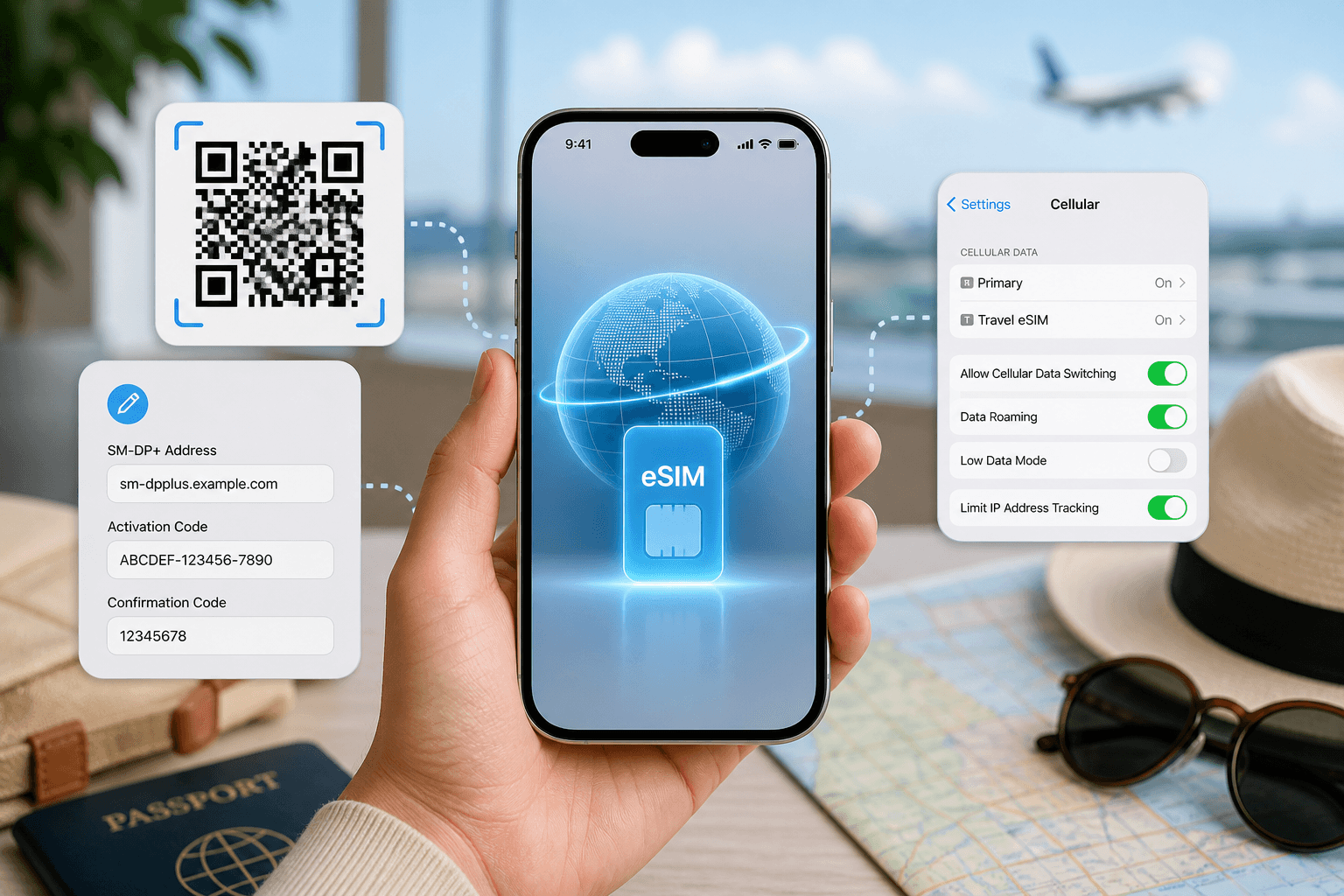
For iPhone on iOS 17 or iOS 18, use Settings > Cellular > Add eSIM, or Settings > Mobile Service > Add eSIM, then scan the QR code. For manual entry, choose Enter Details Manually and paste the SM-DP+ details from your order. After arrival, set Cellular Data or Mobile Data to the travel eSIM and turn Data Roaming on for that line.
On Samsung with Android 14 or Android 15, use Settings > Connections > SIM manager > Add eSIM > Scan QR code. For manual setup, use the manual entry option in the same eSIM add flow if your model shows it. After arrival, go to SIM manager, set Mobile data to the travel eSIM, then go to Mobile networks and turn Data roaming on.
On Pixel with Android 14 or Android 15, use Settings > Network & internet > SIMs > Add SIM > Set up an eSIM. Scan the QR code, or use the manual option if shown. After arrival, open the eSIM under SIMs, turn it on, set Mobile data to that SIM and enable roaming.
On Xiaomi with Android 14 or Android 15, use Settings > SIM cards & mobile networks, then the eSIM or Manage eSIM option if your model supports it. Add the eSIM by QR code, then on arrival set mobile data to the travel eSIM and enable data roaming for that line.
How should you compare refunds and payments without relying on stale details?
For Saily, the rule in this comparison is clear: refund within 30 days if the eSIM has not been installed or activated. Payment methods listed are cards, PayPal, Apple Pay and Google Pay.
For BeeSim, do not rely on a blog paragraph for payment or refund handling. Open the current payment and refund FAQ before buying, especially if your trip date may change or you are buying for someone else. This is the safer way to check the current store policy without freezing it into an article that may outlive the checkout flow.
For either brand, the practical rule is the same: do not install or activate until you are sure the destination, phone and dates are correct. If you install early, read the provider’s wording carefully before assuming the order is still refundable.
What can go wrong after buying, and what should you do first?
The most common failures are not brand-specific. They usually come from device support, the wrong active data line, roaming being off, or trying to use a plan before it has connected in the destination.
If the QR code will not scan:
- Increase screen brightness on the device showing the QR code.
- Check that the phone you are installing on supports eSIM.
- Use manual SM-DP+ entry if QR scanning fails.
- Do not delete an installed eSIM unless support tells you to; many travel eSIMs should not be reinstalled casually.
If the eSIM installs but there is no data after arrival:
- Confirm the travel eSIM line is turned on.
- Set Mobile Data or Cellular Data to the travel eSIM, not your home SIM.
- Turn Data Roaming on for the travel eSIM line.
- Restart the phone.
- Check whether you are in the correct country or regional coverage area.
- If it still fails, contact support from the provider’s app or site and include your destination, phone model and the screen showing the installed eSIM line.
If hotspot does not work, first confirm the hotspot rule for the plan. Saily states hotspot is allowed with no limit. For BeeSim, check the exact plan page; if the plan page does not confirm tethering, do not treat it as included.
If you run out of data, the next step depends on the provider. With Saily, use the app top-up flow. With BeeSim, buy another plan because existing plans cannot be topped up.
Pick Saily if… / pick BeeSim if…
Pick Saily if you want top-ups in the app, you need unlimited-data options with a stated daily full-speed allowance, or hotspot must be allowed without checking each plan page. It is also the easier choice when the live comparison shows Saily cheaper for the same destination and data amount.
Pick BeeSim if you want a fixed-data travel eSIM from a catalog covering 200+ countries and regional bundles, you prefer installing by QR code or manual SM-DP+ details, and you like that validity starts only at the first connection in the destination. Before checkout, open the destination plan page, confirm the live price, data amount, duration and hotspot line, then install at home and turn the eSIM data line on after arrival.
More destinations
All destinations →Topics
Frequently asked questions
Can I use either eSIM for calls and SMS?
The BeeSim travel eSIM is data-only, with no local phone number and no SMS. If you need bank texts or normal mobile calls, keep your primary SIM available for those services.
Can I install a travel eSIM before I fly?
Yes, if the provider allows pre-installation. With BeeSim, validity starts at the first connection in the destination, so installation at home does not by itself start the plan.
What if Turkey needs exactly 5 GB for my trip?
In this comparison, Saily lists 5 GB / 30 days for Turkey while the closest BeeSim catalog plan is 4 GB / 30 days. If that extra data matters, compare the live prices and consider whether top-ups or a second fixed-data plan would suit you better.
Do I need to remove my home SIM when using a travel eSIM?
Usually no. Keep the home SIM installed if you need calls or SMS, but set mobile data to the travel eSIM and check roaming settings for the correct line.
Where should I check the current price before buying?
Use /versus/saily for the side-by-side brand comparison, then open the exact destination plan page before checkout. Do not rely on screenshots or older blog posts for current prices.
Editorial Team
Guides and articles from our editorial team.
Related articles
- BeeSim vs Nomad
BeeSim vs Nomad: which travel eSIM to pick for 7 destinations
BeeSim vs Nomad across 7 destinations: plan sizes, unlimited rules, hotspot, top-ups, refunds and what to check before buying.
Oct 18, 202611 min read
- eSIM data
Unlimited eSIM vs Data Plan: Cheaper Break-Even
Use this break-even method to compare an unlimited daily eSIM with fixed GB plans for Thailand, Turkey and the UAE before you travel.
Oct 16, 202611 min read
- iPhone eSIM
How to install a travel eSIM on iPhone: QR code, manual SM-DP+ entry, and the settings people miss
Install a travel eSIM on iPhone with QR or manual SM-DP+ entry, then set the travel line for data and turn roaming on when you arrive.
Oct 15, 20269 min read
- eSIM
What an eSIM Is and How to Use It for Travel
A simple guide to travel eSIM basics, phone checks, buying, installation, and what to switch on after landing.
Oct 14, 20263 min read3 views
- cruise eSIM
eSIM on Cruise Ship: What Works at Sea and in Port
Cruise data guide for sea days, port calls and tender boats: when a travel eSIM works, which plans fit, and what to check before sailing.
Oct 11, 202610 min read
- eSIM comparison
BeeSim vs Holafly: prices for 7 destinations, unlimited rules, hotspot and refunds
Compare BeeSim vs Holafly for Turkey, Thailand, UAE, Japan, Spain, the US and Europe: data sizes, unlimited rules, hotspot limits and refund checks.
Oct 8, 202610 min read