Best eSIM for Thailand in 2026: five brands and BeeSim compared on price, unlimited rules and hotspot
Choosing a Thailand eSIM comes down to fixed data, unlimited throttling rules and hotspot limits. Compare five brands with BeeSim before you buy.
Published Oct 28, 202611 min read
In this guide
The best eSIM for Thailand depends on the trade-off you care about: fixed-data value, unlimited throttling rules or hotspot use. For fixed data, BeeSim has the smallest entry plan in this comparison at 3 GB / 30 days; for clear unlimited rules, Saily is the easiest to understand; for hotspot, Airalo and Saily are the safest picks because their Thailand hotspot policy is stated as no limit.
Use live store pages for the final price check. The plan sizes and policies below are stable enough to compare, but prices move often, so do not choose from an old screenshot or a cached search result.
Which Thailand eSIM should you choose first?
Start with how you use data in Thailand, not with the brand logo. A short trip with maps, messaging and some social apps does not need the same plan as remote work, daily video calls or a tablet sharing data to a laptop.
| Traveller need | Strongest fit | Why it wins on the facts | What to check before buying |
|---|---|---|---|
| Lowest fixed-data entry point | BeeSim | Thailand catalogue starts at 3 GB / 30 days | Open the Thailand destination page for the live price |
| Like-for-like fixed-data comparison | Airalo, Holafly, Saily, Nomad, Yesim and BeeSim | Each has a 5 GB / 30 days Thailand option in this comparison | Compare the live price and checkout rules |
| Clearest unlimited rule | Saily | Unlimited plans give 5 GB a day at full speed, then 1 Mbps | Confirm the Thailand plan shown in the app |
| Unlimited with no stated daily cap | Holafly | Unlimited only; no fixed daily cap is stated | Fair-use throttling can apply for up to a day |
| Hotspot with no stated limit | Airalo or Saily | Both state hotspot is available with no limit | Recheck the plan page before purchase |
| Largest fixed-data Thailand plan in this set | BeeSim | Largest Thailand catalogue option is 100 GB / 60 days | Check whether hotspot is allowed on the exact plan |
If you are price-shopping the familiar 5 GB size, compare BeeSim with Airalo on the live side-by-side page: BeeSim vs Airalo Thailand eSIM prices. Do the same for BeeSim vs Holafly if you are weighing fixed data against unlimited, and BeeSim vs Saily if the daily full-speed allowance matters more than the label unlimited.
How do the five Thailand eSIM brands compare on data, unlimited rules and hotspot?
The fair comparison size is 5 GB / 30 days because Airalo, Holafly, Saily, Nomad and Yesim all have that Thailand plan in the checked set, and BeeSim has the same size as its closest match. The brands differ more sharply once you look at unlimited rules and tethering.
| Brand | Fixed plan used for comparison | Unlimited rule | Hotspot rule | Account or app requirement |
|---|---|---|---|---|
| Airalo | 5 GB / 30 days | Unlimited plans: 3 GB a day at full speed, then 1 Mbps | Yes, no limit | Account required |
| Holafly | 5 GB / 30 days | Unlimited only; no fixed daily cap, but fair-use throttle can apply for up to a day | Yes, 1 GB a day | Guest checkout with an email |
| Saily | 5 GB / 30 days | Unlimited plans: 5 GB a day at full speed, then 1 Mbps | Yes, no limit | App and account needed to install |
| Nomad | 5 GB / 30 days | Unlimited plans have a daily full-speed quota not stated on country pages, then 512 kbps | Yes | Account required at purchase |
| Yesim | 5 GB / 30 days | Unlimited plans with operator fair-use policy; threshold not published | Depends on the operator behind the plan | Account required |
| BeeSim | 5 GB / 30 days | Fixed-data Thailand plans in the catalogue set used here | Shown per plan on the plan page | App or website |
This table is the practical reason not to buy only from the word unlimited. Airalo and Saily publish the post-quota speed for unlimited plans. Holafly does not publish a fixed daily cap, which is attractive if your usage is uneven, but the fair-use throttle can still affect a heavy day. Nomad tells you there is a daily full-speed quota but does not state it on the country pages. Yesim leaves the fair-use threshold to the operator behind the plan, so you need to read the specific plan terms before paying.
Hotspot is also not equal. Airalo and Saily state no hotspot limit. Holafly gives a 1 GB a day hotspot allowance. Nomad says hotspot is available, without the same no-limit wording in the facts used here. Yesim depends on the operator. For BeeSim, do not assume tethering across the catalogue: open the exact Thailand plan page and check the hotspot line before purchase.
Which BeeSim Thailand plan size fits your trip length?
The Thailand catalogue is useful if you prefer fixed data and a known expiry window instead of an unlimited plan with throttling rules. Validity starts at the first connection in Thailand, so you can install before leaving and let the plan begin when the eSIM connects after arrival.
| Trip pattern | BeeSim Thailand plan to check | Why this size makes sense |
|---|---|---|
| Cheapest way into the catalogue | 3 GB / 30 days | Smallest listed Thailand option for light use |
| Like-for-like brand comparison | 5 GB / 30 days | Closest match to the comparison size used by the five brands |
| Around a week with heavy use | 50 GB / 10 days | Larger allowance over a short validity window |
| Two to three weeks | 50 GB / 20 days | Same data amount with a longer validity window |
| Full month | 50 GB / 30 days | Same data amount stretched across the full month window |
| Long stay or very heavy fixed-data use | 100 GB / 60 days | Largest Thailand option in the catalogue set |
Choose the smaller fixed plan only if you are confident your hotel Wi-Fi and offline downloads will cover the heavy work. Choose a 50 GB plan if you expect daily maps, messaging, ride apps, uploads and regular streaming. Choose 100 GB / 60 days if your trip is long enough that buying another plan mid-stay would be annoying.
There is one important limitation: BeeSim plans cannot be topped up. If the data runs out, buy another plan. That is simple, but it means you should not choose 3 GB / 30 days for a data-heavy trip just because the entry price is low.
Which brand wins on unlimited data in Thailand?
Saily wins for the clearest unlimited rule because it states the daily full-speed amount and the speed after that: 5 GB a day at full speed, then 1 Mbps. That does not make it the largest possible allowance for every traveller, but it makes the trade-off visible before you buy.
Holafly wins if you want the word unlimited without a fixed daily cap shown in the plan rule. The catch is fair use: a throttle can apply for up to a day. That matters if you plan to work from mobile data, watch long videos or share data to another device.
Airalo sits in the middle. Its unlimited rule is clear: 3 GB a day at full speed, then 1 Mbps. If your daily use is predictable and you value the no-limit hotspot rule, it remains easy to evaluate.
Nomad is harder to rank for unlimited because the country pages do not state the daily full-speed quota. The post-quota speed is 512 kbps, which is lower than the post-quota speed stated by Airalo and Saily. If you are considering a Nomad unlimited Thailand plan, read the exact purchase screen before paying.
Yesim is also harder to rank for unlimited because the fair-use threshold is not published. The operator behind the plan sets the rule. That can still be acceptable for casual use, but it is a weaker fit if you need to know in advance when throttling may begin.
Which brand wins for hotspot in Thailand?
Airalo and Saily are the cleanest hotspot choices in this comparison because both state hotspot is available with no limit. That is the answer if you need to tether a laptop or share data with a travel partner and do not want a separate hotspot allowance.
Holafly allows hotspot, but the allowance is 1 GB a day. That can be enough for messaging and light browsing on a laptop, but it is not the right fit if tethering is your main connection.
Nomad says hotspot is available, but the comparison facts do not add a no-limit rule. Yesim depends on the operator behind the plan. For BeeSim, check the exact Thailand plan page because tethering availability is stated per plan, not as a blanket promise.
If hotspot is essential, check the hotspot line again on the final plan page just before checkout. Do not rely on a general country page snippet if the checkout page shows a more specific rule.
How should you compare Thailand eSIM prices without using stale numbers?
Compare live prices only, because Thailand eSIM prices change more often than an article can be updated. A useful price comparison has to keep the data size and validity the same; otherwise a larger-looking plan can be poor value, or a cheaper plan can be too small for your trip.
Use this order:
- Compare 5 GB / 30 days against 5 GB / 30 days first. That is the cleanest like-for-like set across the five brands and BeeSim.
- If you want the cheapest entry point, compare BeeSim's 3 GB / 30 days with the smallest live plan each other brand shows at checkout.
- If you want a heavy-use fixed plan, compare 50 GB / 10 days, 50 GB / 20 days and 50 GB / 30 days against whatever large Thailand plans the other stores show live.
- If you want unlimited, compare the daily full-speed rule and hotspot rule before the price. Unlimited with a hidden threshold is not the same product as unlimited with a published daily allowance.
For BeeSim payment and refund rules, use the current help and FAQ page. Do not use copied checkout notes from another site; these policies can change faster than plan sizes.
How do you install a Thailand eSIM before departure?
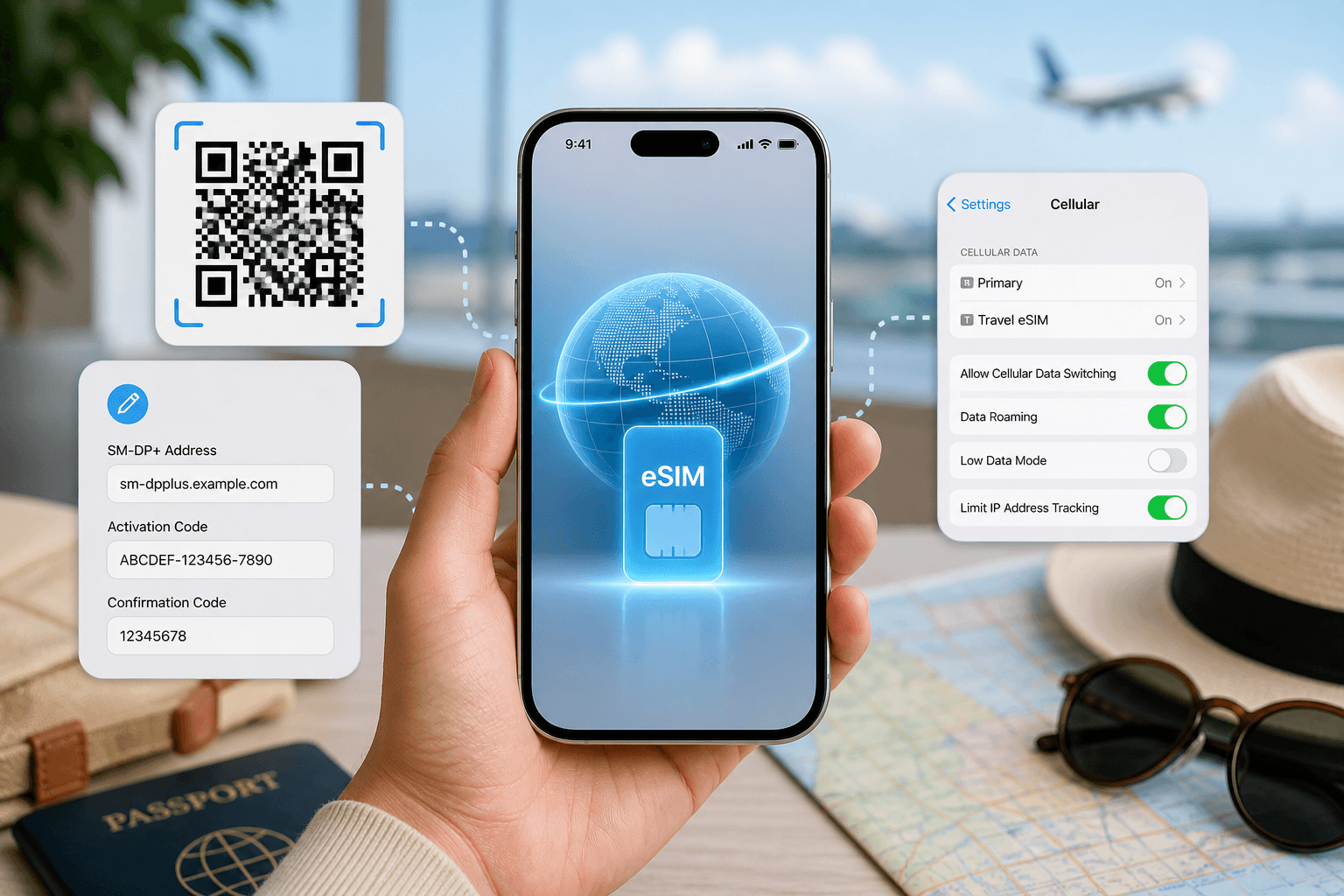
Install before you fly, but do not switch mobile data to the travel eSIM until you arrive in Thailand. With BeeSim, validity starts at the first connection in the destination, so installing at home is the safer move: you can fix a QR scan or manual entry problem while you still have your regular connection.
On iPhone with iOS 17 or iOS 18:
- Open Settings.
- Tap Cellular or Mobile Service.
- Tap Add eSIM.
- Use QR Code if you have the QR code on another screen or printed.
- If scanning fails, choose Enter Details Manually and enter the SM-DP+ details from the installation email or app.
- Label the line Thailand or Travel.
- Keep your main line for calls if you need it, and set mobile data to the travel eSIM only after arrival.
- In the travel eSIM line settings, turn Data Roaming on if the plan instructions say it is required.
On Samsung with Android 14 or Android 15:
- Open Settings.
- Tap Connections.
- Tap SIM manager.
- Tap Add eSIM.
- Scan the QR code, or choose the manual entry option if scanning is not working.
- After landing, return to SIM manager and select the eSIM for Mobile data.
- Open Mobile networks and turn Data roaming on for the eSIM if required by the plan instructions.
On Google Pixel with Android 14 or Android 15:
- Open Settings.
- Tap Network and Internet.
- Tap SIMs.
- Tap Add SIM.
- Choose Set up an eSIM and scan the QR code.
- Use manual entry if the QR code cannot be scanned.
- After arrival, select the eSIM under SIMs and set it as the data SIM.
- Turn roaming on for that eSIM if the plan requires it.
On Xiaomi with Android 14 or Android 15:
- Open Settings.
- Tap SIM cards and mobile networks.
- Open eSIM or Manage eSIM, depending on the model.
- Add the eSIM by QR code, or use manual SM-DP+ entry.
- After landing, choose the eSIM for mobile data.
- Turn on data roaming for the eSIM if the plan instructions require it.
Leave your primary SIM active only if you understand your home carrier's roaming charges. If you do not need calls or SMS on that line, turn data off for the primary SIM before the aircraft lands.
What can go wrong with a Thailand eSIM and how do you fix it?
Most Thailand eSIM problems are setup problems, not brand problems. Work through the simple checks before deleting anything.
| Problem | Likely cause | What to do |
|---|---|---|
| QR code will not scan | The code is on the same phone, the camera cannot read it or the code was already used | Open the code on another screen, increase brightness, or use manual SM-DP+ entry |
| eSIM installs but has no data after landing | Mobile data is still assigned to the home SIM | Set the travel eSIM as the mobile data line in settings |
| eSIM shows signal but pages do not load | Data roaming is off for the eSIM | Turn on data roaming for the eSIM line if the plan instructions require it |
| Hotspot option is missing or fails | The plan or operator does not allow tethering | Check the hotspot line on the plan page; if unclear, contact support before relying on it |
| Unlimited plan slows down | Daily full-speed allowance or fair-use rule has been reached | Wait for the policy window to reset, or reduce heavy use such as tethering and video |
| Fixed-data plan stops working | Data allowance is used up or validity ended | Buy another plan if top-up is not available for that brand or plan |
If a BeeSim eSIM is installed but still will not connect in Thailand, do not delete it first. Take screenshots of the eSIM line settings, the mobile data selection and the roaming toggle, then contact support by email from the site so the support team can see the actual setup.
More destinations
All destinations →Topics
Frequently asked questions
Can I get a Thai phone number with these travel eSIMs?
BeeSim travel eSIM plans are data-only, so they do not include a local Thai phone number or SMS. If a service requires a local number for verification, check that requirement before choosing a data-only plan.
Should I buy a Thailand-only eSIM or a regional bundle?
Choose a Thailand plan if Thailand is your only destination. If your itinerary crosses borders, check the regional bundles in the catalogue so you do not have to install a separate plan for each country.
Can I top up a BeeSim Thailand eSIM after using the data?
No. BeeSim plans cannot be topped up, so you buy another plan if the allowance runs out or the validity ends.
Does installing an eSIM start the validity period?
For BeeSim, validity starts at the first connection in the destination, not when you install it. That is why installing at home and switching data on after arrival is the safer setup.
What should I check if I need to work from a laptop in Thailand?
Check hotspot permission first, then check the unlimited throttling rule or fixed-data allowance. A plan with a good phone allowance can still be a poor laptop plan if hotspot is capped or not supported.
BeeSim Editorial
Travel eSIM guides from the BeeSim team: activation, coverage caveats, and the mistakes that strand travellers.
Editorial policyRelated articles
- Turkey
Buy Turkey eSIM in 2026: local SIM rules, networks, and install
How to buy a Turkey eSIM in 2026 without airport queues: passport and 120-day phone rules for local SIMs, Turkcell and Vodafone coverage, and install steps before you fly.
Oct 29, 202612 min read2 views
- BeeSim vs Nomad
BeeSim vs Nomad: which travel eSIM to pick for 7 destinations
BeeSim vs Nomad across 7 destinations: plan sizes, unlimited rules, hotspot, top-ups, refunds and what to check before buying.
Oct 18, 202610 min read2 views
- eSIM data
Unlimited eSIM vs Data Plan: Cheaper Break-Even
Use this break-even method to compare an unlimited daily eSIM with fixed GB plans for Thailand, Turkey and the UAE before you travel.
Oct 16, 202610 min read1 views
- iPhone eSIM
How to install a travel eSIM on iPhone: QR code, manual SM-DP+ entry, and the settings people miss
Install a travel eSIM on iPhone with QR or manual SM-DP+ entry, then set the travel line for data and turn roaming on when you arrive.
Oct 15, 20269 min read1 views
- eSIM
What an eSIM Is and How to Use It for Travel
A simple guide to travel eSIM basics, phone checks, buying, installation, and what to switch on after landing.
Oct 14, 20267 min read5 views
- eSIM comparison
BeeSim vs Saily: 7 destinations, hotspot and refunds
Compare BeeSim and Saily across 7 destinations, with plan sizes, unlimited limits, hotspot rules, top-ups and refund checkpoints before you buy.
Oct 14, 20269 min read1 views